
How to Create Product Videos with AI in Minutes
Transform product links into professional marketing videos without filming
TL;DR: AI product video generators transform e-commerce listings into professional marketing videos in minutes. Simply input a product URL or image, and AI handles scripting, voiceover, and editing—no filming or technical skills required.
Creating product videos used to require cameras, studios, actors, and weeks of editing. Today, AI product videos change everything. With the right tools, you can generate studio-quality marketing content from a simple product link in under five minutes.
Whether you sell on Amazon, Shopify, eBay, or Etsy, AI video generation eliminates the traditional bottlenecks of video production. No filming crews. No expensive equipment. No editing software to learn. Just paste your product URL, select an AI avatar and voice, and let the system build your video automatically.
This guide walks you through exactly how to create AI product videos—from understanding the technology to optimizing your content for maximum conversions across platforms.
How AI Product Video Generation Works
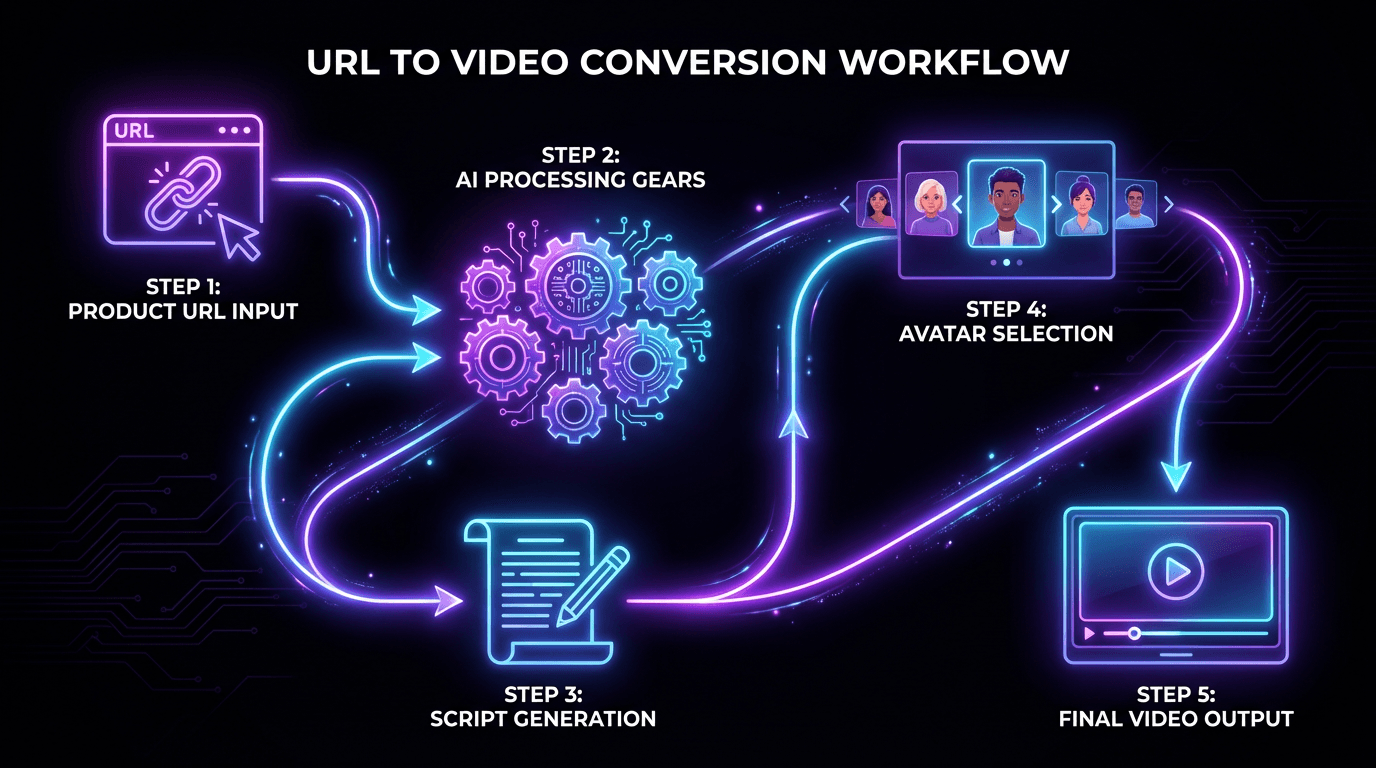
AI video generators use machine learning models trained on massive datasets to understand text, images, and video concepts. When you input a product URL or description, the AI analyzes your content, extracts key selling points, and generates a complete video with visuals, transitions, and voiceover.
The process typically follows four steps:
- Input your product: Paste a URL from Amazon, Shopify, eBay, or upload product images directly
- AI script generation: The system creates a conversion-focused script highlighting benefits and features
- Avatar and voice selection: Choose from libraries of digital humans and voice options
- Automatic production: AI compiles everything into a finished video ready for export
What makes this powerful for e-commerce sellers is the image to video conversion capability. Upload a few product photos, and AI generates dynamic video content with realistic lighting, camera movements, and professional transitions.
Tip: For best results, ensure your product images are high-resolution and show the item from multiple angles. AI generates better videos when it has more visual data to work with.
Choosing AI Avatars and Voices
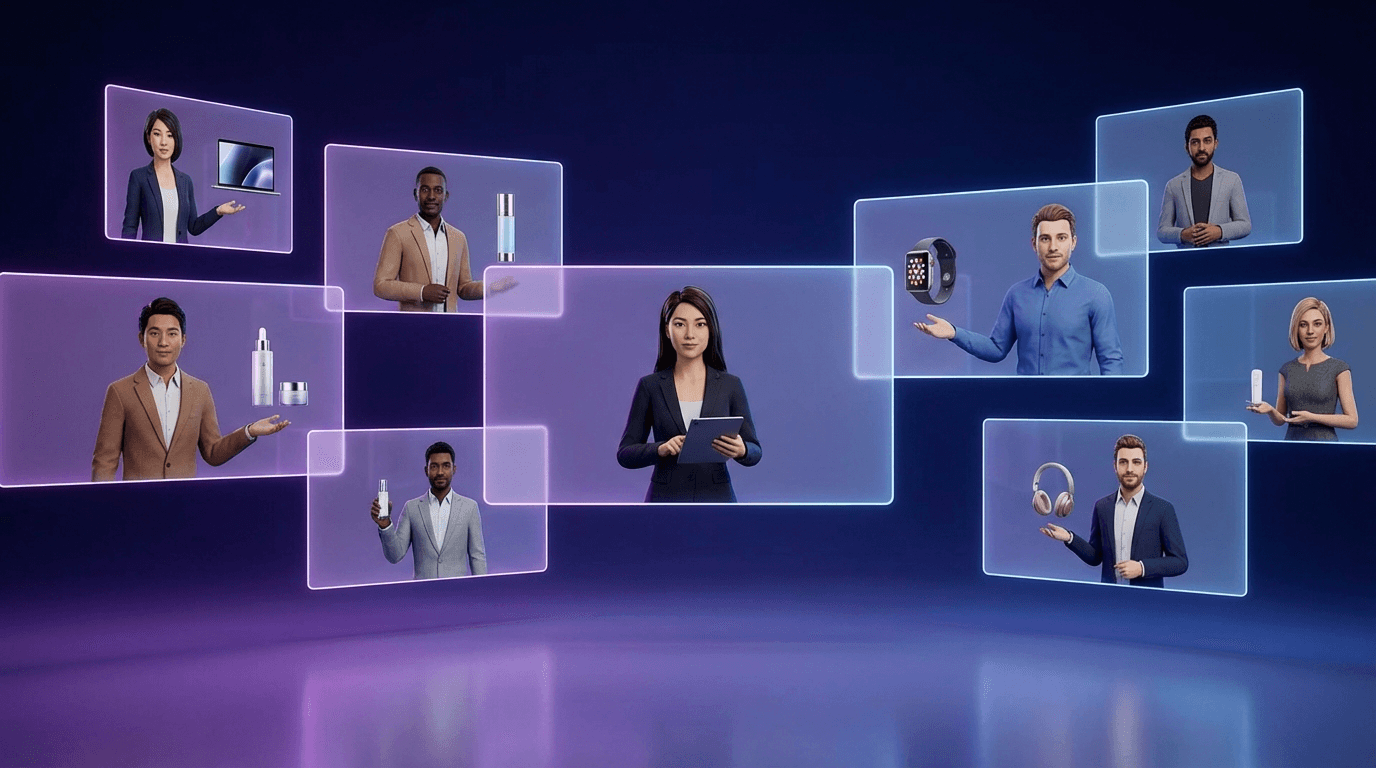
Digital avatars are what separate basic slideshow videos from engaging product presentations. Modern AI platforms offer libraries of realistic digital humans who can present your products with natural expressions, gestures, and lip-synced speech.
What to Look for in Avatar Selection
The best AI avatars and voice cloning tools offer:
- Diversity: Multiple ethnicities, ages, and professional styles to match your brand
- Customization: Ability to adjust clothing, backgrounds, and presentation style
- Realism: Natural eye contact, micro-expressions, and fluid movements
- Voice matching: Voices that sync perfectly with avatar lip movements
For e-commerce, presenter avatars work particularly well for product demonstrations, unboxing-style content, and explainer videos. Many platforms offer 200+ avatar options with 150+ voice choices across different languages and accents.
Voice Cloning for Brand Consistency
Some platforms allow voice cloning—creating a synthetic voice from a sample recording. This ensures every video maintains the same brand voice, whether you produce 10 videos or 10,000.
Step-by-Step: Creating Your First AI Product Video
Here's the practical workflow for generating your first video:
Step 1: Prepare Your Product Information
Gather your product URL, key features list, and any specific messaging you want included. The more specific your input, the better your output.
Step 2: Input Your Content
Most AI video platforms accept input in several formats:
- Direct URL paste (Amazon, Shopify, eBay, Etsy listings)
- Product images with description text
- Raw script that you've written
Step 3: Customize the Script
Review the AI-generated script and adjust as needed. Focus on:
- Benefit-first messaging (what problems does your product solve?)
- Clear call-to-action
- Platform-appropriate length (15 seconds for TikTok, 30-60 seconds for YouTube)
Step 4: Select Avatar and Voice
Choose a presenter that matches your target audience. If selling professional products, select a business-casual avatar. For lifestyle products, a more casual presenter often converts better.
Step 5: Generate and Export
Click generate and wait 2-5 minutes for processing. Export in the format optimized for your target platform—vertical 9:16 for TikTok and Instagram Reels, horizontal 16:9 for YouTube and product pages.
Multilingual Video Translation and Localization
Cross-border sellers face a unique challenge: creating content for multiple markets. AI solves this with video translation and dubbing capabilities that go far beyond basic subtitles.
Modern platforms offer:
- 70+ language support with regional dialect options (178 dialects total)
- Lip-sync dubbing that matches avatar mouth movements to translated audio
- Subtitle generation in multiple languages simultaneously
- Cultural adaptation of scripts for different markets
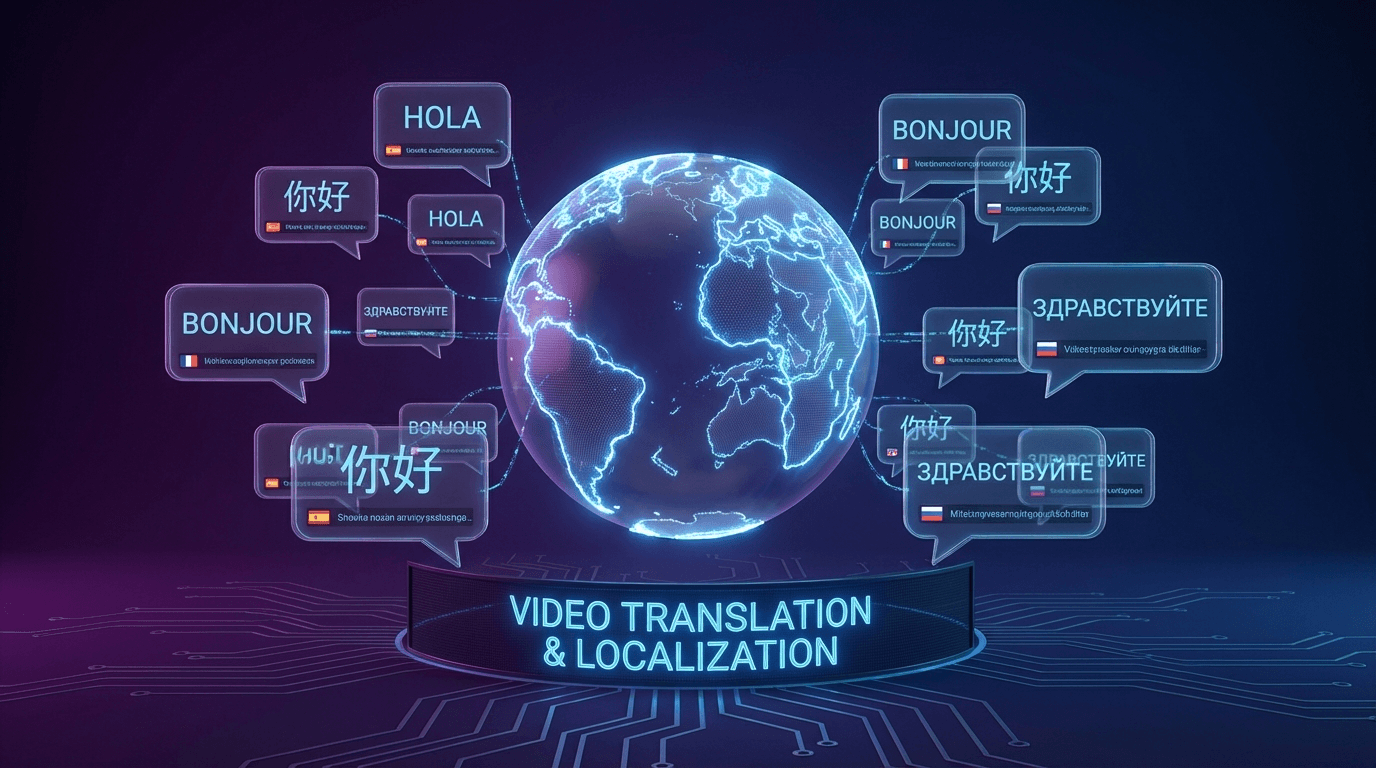
For Amazon sellers expanding to European or Asian markets, this means creating localized video content without hiring native speakers or professional translators. Generate your English video once, then produce localized versions for Germany, France, Japan, and other target markets automatically.
Tip: When localizing, review AI translations for product-specific terminology. Technical products may need manual adjustment of specialized terms.
Best Practices for High-Converting AI Product Videos
Creating videos is easy. Creating videos that convert requires strategy. Here's what works:
Keep Videos Short and Focused
Data shows viewers decide within the first 3 seconds whether to keep watching. Lead with your strongest selling point immediately. For AI video ads, aim for 15-30 seconds on social platforms and 60-90 seconds maximum for product pages.
Optimize for Silent Viewing
85% of social media videos are watched on mute. Include:
- Clear captions and text overlays
- Visual demonstrations of product features
- On-screen bullet points for key benefits
Match Platform Requirements
Each platform has different optimal specifications:
- TikTok/Instagram Reels: Vertical 9:16, 15-60 seconds
- YouTube: Horizontal 16:9, 2-5 minutes for detailed demos
- Amazon/Product Pages: Square or horizontal, 30-90 seconds
- Facebook/LinkedIn: Square 1:1 or horizontal, 30-60 seconds
Include Strong Calls-to-Action
Every video needs a clear next step. "Shop now," "Learn more," or "Visit our store" should appear both verbally and visually in the final seconds.
Cost and Time Comparison: AI vs Traditional Production
Understanding the economics helps justify the investment in AI tools.
Traditional Video Production Costs
According to industry data, traditional product video production typically runs:
- Studio rental: $500-$2,500 per session
- Equipment and crew: $1,000-$5,000 per day
- Professional editing: $500-$2,000 per minute of final video
- Total for a 2-minute product video: $5,000-$15,000+
Production timeline: 2-4 weeks from concept to delivery.
AI Video Production Costs
AI platforms offer dramatically different economics:
- Monthly subscriptions: $20-$100 for most use cases
- Per-video costs: Often unlimited within subscription
- Production time: 2-10 minutes per video
For high-volume sellers producing dozens of product videos monthly, the cost savings reach 90%+ compared to traditional methods.
Industries Getting Maximum Value from AI Product Videos
While any e-commerce business benefits, certain industries see outsized returns:
Cross-Border E-Commerce
Amazon, eBay, and Shopify sellers expanding internationally use AI for rapid multilingual content creation. One English source video becomes 10+ localized versions overnight.
Consumer Electronics
Tech products benefit from feature demonstrations, comparison videos, and tutorial content—all easily produced with AI avatars explaining functionality.
Fashion and Cosmetics
Visual products need constant fresh content for seasonal campaigns and new releases. AI enables rapid iteration without photoshoot scheduling.
App Marketing
Google Play and Apple App Store listings convert better with video previews. AI generates app demonstration videos from screenshots and descriptions.
Frequently Asked Questions
How long does it take to create an AI product video?
Most AI platforms generate finished videos in 2-10 minutes after you input your content. The actual creation is nearly instant—most time is spent on processing and rendering. Compare this to traditional production which typically requires 2-4 weeks.
Can I use AI-generated videos for commercial purposes?
Yes, most AI video platforms include commercial usage rights in their subscription plans. Always verify the specific terms of your chosen platform, but commercial use is standard for paid tiers.
What video quality can I expect from AI generation?
Current AI tools produce 1080p and 4K output suitable for all major platforms. Video quality matches or exceeds what most small businesses could produce with traditional methods. The main limitation is highly customized shots—AI works best for presenter-style and product showcase formats.
Do AI product videos perform as well as traditional videos?
For e-commerce and social media marketing, AI videos often outperform traditional content because of faster production cycles. You can test multiple versions, iterate based on data, and stay responsive to trends. The speed advantage typically outweighs any marginal quality difference.
Conclusion
AI product videos represent a fundamental shift in how e-commerce businesses create marketing content. The technology handles what used to require studios, crews, and weeks of production—now delivered in minutes.
The key advantages are clear: minute-level production without filming or editing, seamless e-commerce integration with one-click URL conversion, multilingual localization with lip-sync across 70+ languages, and cost structures that make video accessible to sellers at every scale.
For cross-border merchants, marketing teams, and content creators looking to scale video production without scaling budgets, AI video generation delivers immediate, measurable results.
