
How Image-to-Video AI Works (Explained Simply)
From static photos to dynamic videos in seconds with AI
TL;DR: Image to video AI uses diffusion models to predict how pixels in a static image should move over time, generating realistic video sequences in seconds. Upload an image, add a text prompt describing the motion you want, and the AI handles the rest—no editing skills required.
Ever wondered how a still product photo transforms into a dynamic video ad in under a minute? The answer lies in image to video AI, a technology that's reshaping how businesses create video content. According to recent industry data, 41% of brands now use AI for video creation in 2025, up from just 18% in 2024. This shift isn't just about convenience—it's about speed, scale, and reaching global audiences without the traditional production overhead.
In this guide, you'll learn exactly how this technology works, where it delivers real business value, and how to get started with your own image-to-video workflows. Whether you're an e-commerce seller looking to convert product photos into ads or a marketer needing video content across multiple languages, understanding the mechanics behind this technology will help you make smarter decisions.
The Technology Behind Image to Video AI
At its core, image to video AI predicts how pixels in a static image might move over time. The AI generates a sequence of frames that blend realism with imagination, using a process called generative modeling.
Most modern systems rely on diffusion models—AI networks that begin with random noise and gradually transform it into coherent frames based on your image and prompt. Think of it like a sculptor working in reverse: instead of adding clay, the AI removes noise layer by layer until a clear video emerges.
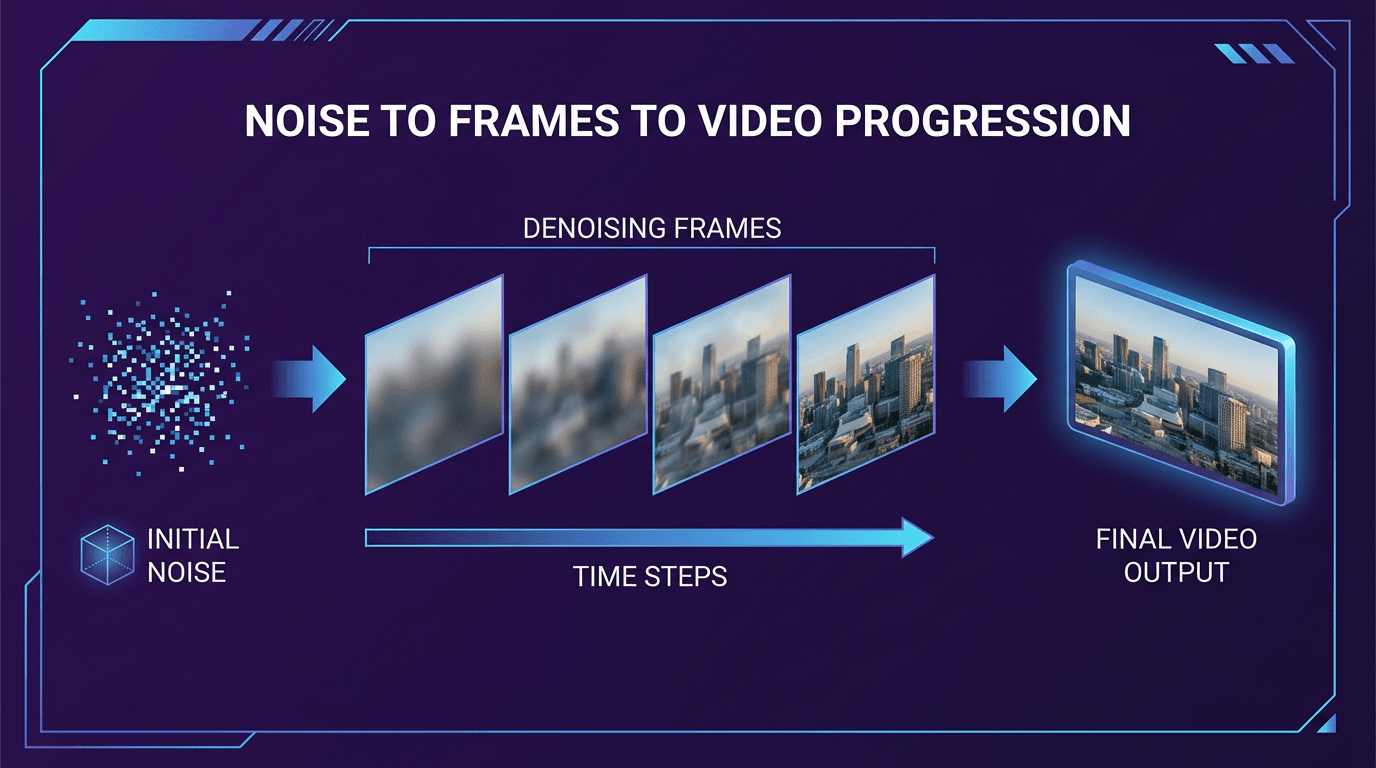
How Diffusion Models Process Your Image
The diffusion model works alongside a large language model (LLM) that matches images with text descriptions. This pairing guides each step of the cleanup process, pushing the diffusion model toward images that match your prompt.
Here's the simplified workflow:
- Image analysis: The AI identifies key features—faces, objects, scenery, depth relationships
- Motion prediction: Based on your prompt and the image content, it predicts natural movement patterns
- Frame generation: The diffusion process creates sequential frames that maintain visual consistency
- Rendering: Final video output is compiled, typically in 720p or 1080p resolution
Latent Diffusion: Why Speed Matters
With latent diffusion, the AI works with mathematical encodings of frames rather than the frames themselves. This makes the process far more efficient than processing raw pixels directly. What once required minutes of rendering now takes seconds—a critical advantage when you're creating content at scale.
How the Image-to-Video Process Works in Practice
Understanding the technology is useful, but knowing the practical workflow is what matters for daily operations. Here's what actually happens when you convert an image to video:
Step 1: Upload Your Image
Select a high-resolution photo with clear subjects. Images with distinct faces, objects, and minimal background clutter work best. The AI needs enough visual information to predict realistic motion.
Step 2: Write Your Prompt
Your text prompt guides the motion style and intensity. Action verbs like "turn," "blink," or "zoom" direct movement, while stylistic cues such as "cinematic" or "smooth" shape the tone.
Tip: Be specific about camera movement. "Slow zoom out revealing the full product" gives better results than just "zoom."
Step 3: Configure Output Settings
Match your platform requirements: 9:16 for TikTok and Instagram Stories, 16:9 for YouTube and website embeds. Most tools support resolutions up to 1080p, with some offering 4K output.
Step 4: Generate and Refine
Initial generation typically takes 30 seconds to 2 minutes depending on video length and complexity. Review the output and iterate—small prompt adjustments often produce noticeably better results.
Practical Use Cases for Image to Video AI
The technology excels where speed and scale matter most. Here's where businesses are seeing the strongest returns:
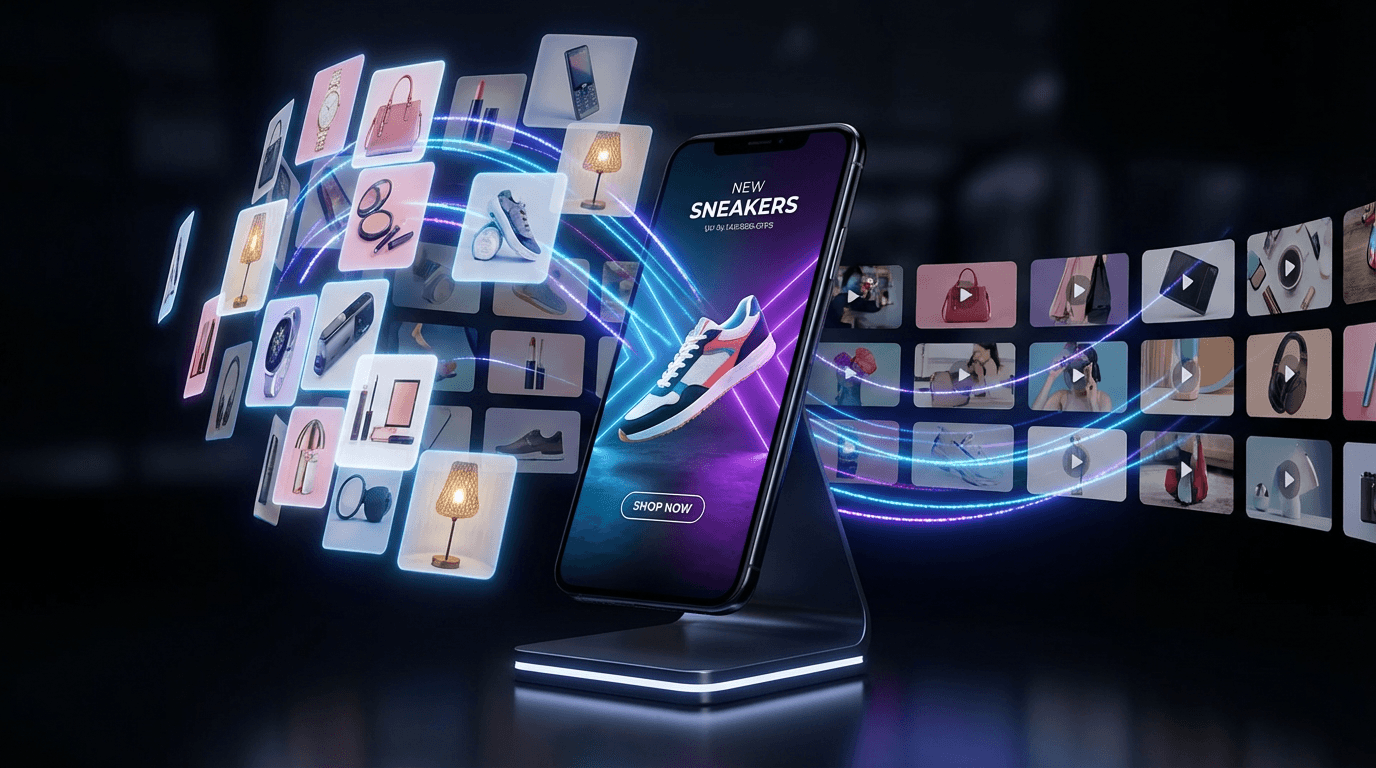
E-commerce and Product Marketing
Transform static product photos into looping video ads within minutes. Cross-border sellers on Amazon, Shopify, and eBay use AI product video tools to convert existing catalog images into platform-optimized video content—without scheduling photoshoots or hiring editors.
The one-click URL-to-video conversion is particularly valuable. Paste your product listing URL, and the AI extracts images, generates a script, and produces ready-to-use video ads. For sellers managing hundreds of SKUs across multiple marketplaces, this batch generation capability cuts production time dramatically.
Social Media Content Creation
Social platforms prioritize video content in their algorithms. Animating selfies, product shots, or artwork for Reels, TikTok, and YouTube Shorts gives static assets new life. The AI adds camera movements, subtle animations, and professional transitions that would otherwise require motion graphics expertise.
Corporate Training and Education
HR teams and educational institutions use image-to-video for onboarding materials and course content. Historical photos, diagrams, and presentation slides become engaging video explainers. Combined with AI-generated voiceovers, organizations can produce multilingual training content without recording studios or voice actors.
Best Practices for Quality Results
Getting consistent, professional output requires attention to a few key factors:
Image Quality Matters
Start with high-resolution source images. The AI can only work with the information provided—low-quality inputs produce low-quality outputs. Ensure faces and objects are distinct, well-lit, and properly framed.
Write Effective Prompts
Effective prompts combine subject, action, and style:
- Subject: What should move and how prominently
- Action: Specific verbs describing movement type
- Style: Tone and aesthetic (cinematic, smooth, energetic)
Know the Limitations
Complex patterns or overlapping subjects may cause flicker or warped motion. Multi-person scenes with intricate interactions remain challenging. For these cases, consider breaking the shot into simpler compositions or using reference videos to guide the AI.
Platform Optimization
Create different aspect ratios for different channels. A single source image can produce vertical cuts for TikTok, square versions for Instagram feed, and widescreen for YouTube—all from one generation session.
Taking It Further: From Image to Video to Global Reach
Image-to-video is often just the first step in a larger content pipeline. Once you have video assets, the next question becomes: how do you localize them for different markets?
This is where video translation and dubbing capabilities become essential. Modern platforms support 70+ languages with lip-sync technology, meaning a single product video can reach customers in their native language without re-shooting anything.
Combined with AI avatars and voice cloning, businesses can create presenter-style videos at scale. The avatar delivers your script with natural expressions, and the same video can be automatically dubbed into dozens of languages—all while maintaining lip-sync accuracy.
For cross-border e-commerce specifically, this pipeline transforms operations:
- Convert product images to video
- Add AI-generated scripts optimized for conversion
- Localize into target market languages
- Export in platform-specific formats
What previously required weeks of production, translation, and editing now happens in minutes.
Frequently Asked Questions
How long does it take to generate a video from an image?
Most AI tools generate 3-5 second video clips in 30 seconds to 2 minutes. Longer videos or higher resolutions may take additional time. Batch processing multiple images typically runs faster per-video than individual generation.
What image formats work best for AI video generation?
High-resolution JPG and PNG files work well across most platforms. Images should be at least 1080p resolution with clear subjects and good lighting. Avoid heavily compressed images or those with text overlays that might distort during animation.
Can I use AI-generated videos for commercial purposes?
Yes, most platforms allow commercial use of generated content. However, verify the specific terms of service for your chosen tool. Be mindful of using images that contain copyrighted material or recognizable individuals without proper permissions.
How does image to video AI differ from traditional video editing?
Traditional editing requires existing footage, technical skills, and significant time investment. Image to video AI creates motion from scratch based on a single image and text prompt—no source video needed. This makes it accessible to anyone, regardless of editing experience.
What quality can I expect from AI-generated videos?
Current tools produce output up to 1080p with smooth motion and consistent subject tracking. The technology handles simple movements well—camera pans, zooms, subtle object animation. Complex multi-person scenes or physics-heavy interactions remain challenging.
Conclusion
Image to video AI fundamentally changes what's possible in content production. The technology—built on diffusion models that transform noise into coherent video frames—enables minute-level production without filming equipment, editing software, or technical expertise.
For e-commerce sellers, marketers, and content creators, this means converting existing image assets into platform-ready video content at scale. Combined with multilingual localization and AI avatar capabilities, a single workflow can produce hundreds of localized video assets from source images.
The 41% of brands already using AI video creation have discovered what the technology delivers: speed without sacrificing quality, scale without multiplying costs, and global reach without the traditional production overhead.
Ready to transform your static images into dynamic video content? The technology is accessible, the learning curve is minimal, and the results speak for themselves.
