
PowerPoint to Video AI: Convert Presentations to Videos
Transform PowerPoint presentations into professional videos using AI avatars, automated narration, and multilingual localization without filming or editing expertise.
TL;DR: PowerPoint to video AI transforms static presentations into engaging video content in minutes using AI avatars, automated voiceovers, and multilingual support. Upload your slides, select an avatar and voice, and generate professional videos without filming or editing skills.
PowerPoint presentations remain the standard for business communication, yet static slides struggle to capture attention in today's video-first digital landscape. Converting presentations to video format expands your reach across platforms like YouTube, TikTok, and social media while making content more accessible and engaging for global audiences.
AI-powered conversion tools eliminate the technical barriers traditionally associated with video production. You no longer need filming equipment, editing software expertise, or professional voiceover talent. Modern platforms automate the entire workflow from slide upload to finished video, enabling minute-level production that keeps pace with fast-moving business demands.
What Is PowerPoint to Video AI?
PowerPoint to video AI refers to automated platforms that transform presentation files into professional video content using artificial intelligence. These tools analyze your slides, generate scripts from text content, add AI avatars or digital humans as presenters, and produce videos with synchronized voiceovers and animations.
The technology streamlines video production by handling tasks that traditionally required multiple specialists. AI generates natural-sounding narration from your slide text, synchronizes timing between visuals and audio, and adds professional transitions without manual editing. According to AI Studios, users can convert presentations to video in under 5-10 minutes with platforms supporting 150+ languages.
How AI Conversion Differs from Traditional Export
PowerPoint's built-in export function creates basic video files by recording slide transitions, but it lacks dynamic presentation elements. AI-powered conversion goes further by adding intelligent narration, customizable avatars, and professional production features that make videos engaging rather than simply playable.
Traditional video creation from presentations requires separate recording sessions, editing software, and manual synchronization of audio with visuals. AI platforms consolidate these steps into one automated workflow, reducing production time by up to 90% while maintaining professional quality standards.
Key Benefits of Converting PowerPoint to Video
Expanded Platform Distribution
Video format opens distribution channels unavailable to static presentations. Upload finished videos directly to YouTube, embed them in marketing campaigns, share across social media platforms, or integrate into e-commerce product pages. Keevx optimizes videos for cross-platform distribution, ensuring content performs well on both YouTube and TikTok.
Multilingual Localization
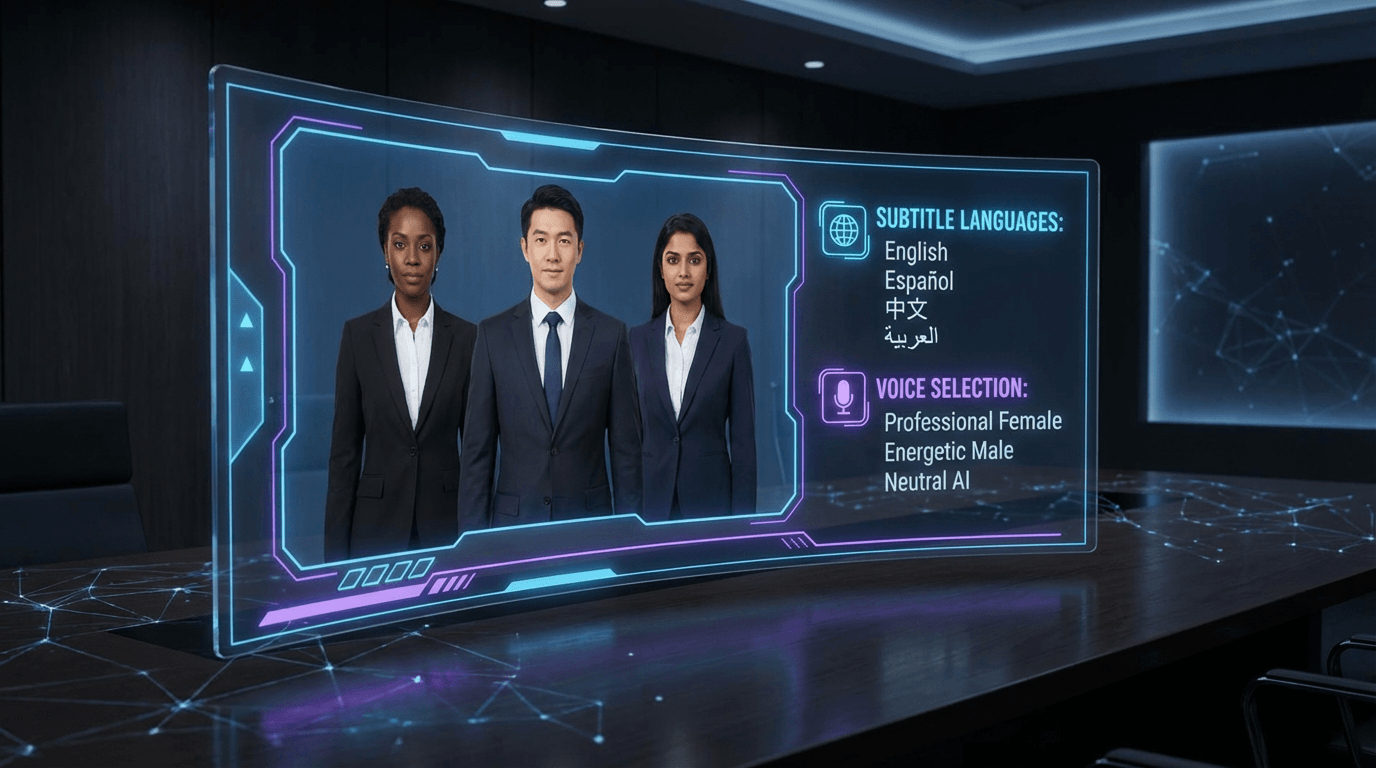
AI video platforms support video translation and dubbing across 70+ languages with lip-sync technology. A single presentation becomes dozens of localized versions targeting specific geographic markets without re-recording content. This capability proves especially valuable for cross-border e-commerce merchants reaching international audiences.
On-Demand Accessibility
Pre-recorded videos allow viewers to consume content at their own pace, pausing and reviewing complex information as needed. This flexibility surpasses live presentations where audiences must absorb information in real-time without replay options. Training materials, product demos, and educational content become more effective when delivered in accessible video format.
Professional Production Without Technical Skills
AI automation eliminates the learning curve associated with video editing software. Users without technical backgrounds produce studio-quality videos by selecting templates, choosing avatars, and clicking generate. The platform handles rendering, transitions, audio mixing, and export settings automatically.
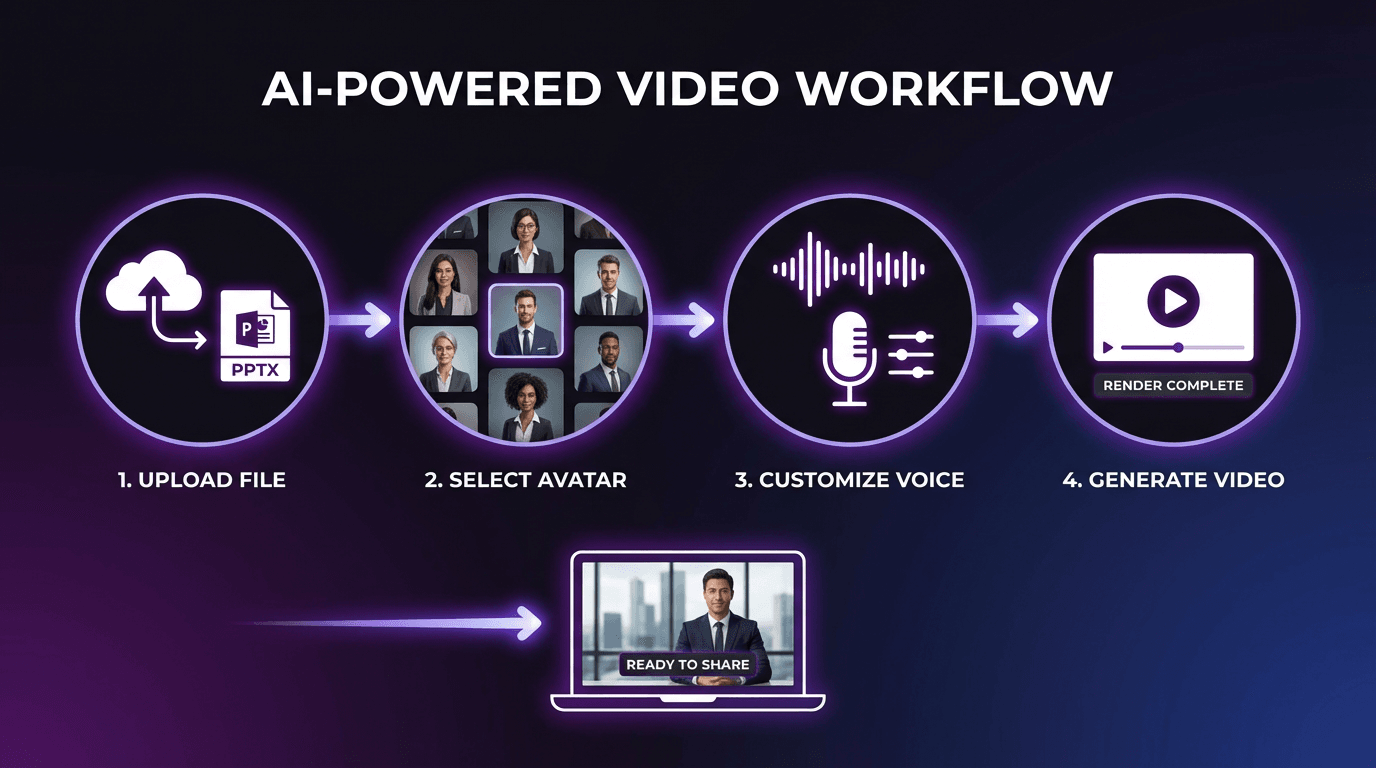
How to Convert PowerPoint to Video with AI
Step 1: Upload Your Presentation File
Most platforms accept standard PPT and PPTX formats with file size limits typically ranging from 50-100MB. Upload your presentation through the web interface without requiring software installation. The AI analyzes slide layouts, extracts text content, and identifies visual elements for optimization.
For e-commerce merchants using Keevx, the platform offers one-click URL to video conversion for Amazon, Shopify, eBay, and Etsy product listings, automatically generating scripts from product pages.
Step 2: Select AI Avatar and Voice
Choose from libraries of diverse digital humans representing different demographics, professions, and presentation styles. Platforms like Synthesia offer 240+ avatars, while HeyGen provides customizable options for matching brand identity.
Voice selection includes 150-169 options supporting multiple regional accents and languages. Adjust tone, pace, and emphasis to match your content's professional level. Advanced platforms offer avatar and voice cloning capabilities for maintaining consistent brand representation across videos.
Step 3: Customize Video Settings
Configure visual elements including background styles, subtitle formatting, brand logos, and color schemes. Apply templates optimized for specific industries such as education, corporate training, marketing, or e-commerce. AI video ads templates focus on conversion-optimized layouts for promotional content.
Set video dimensions based on distribution channels: 16:9 for YouTube and websites, 9:16 for TikTok and Instagram Reels, or 1:1 for social media feeds. Platform-specific optimization ensures videos display correctly without cropping or quality loss.
Step 4: Generate and Review
Click generate and the AI processes your presentation, typically completing 3-5 minute videos within 2-3 minutes. The platform synchronizes narration with slide transitions, adds animations, and renders the final video.
Preview the output to verify timing, pronunciation, and visual flow. Most platforms allow instant edits without re-rendering the entire video.
Step 5: Export and Distribute
Download finished videos in MP4 format compatible with all major platforms. Advanced tools support batch generation for creating multiple video variations simultaneously—different languages, aspect ratios, or presenter avatars from one source presentation. Direct publishing integrations allow one-click upload to YouTube or distribution through email campaigns.
Top Use Cases for PowerPoint to Video AI
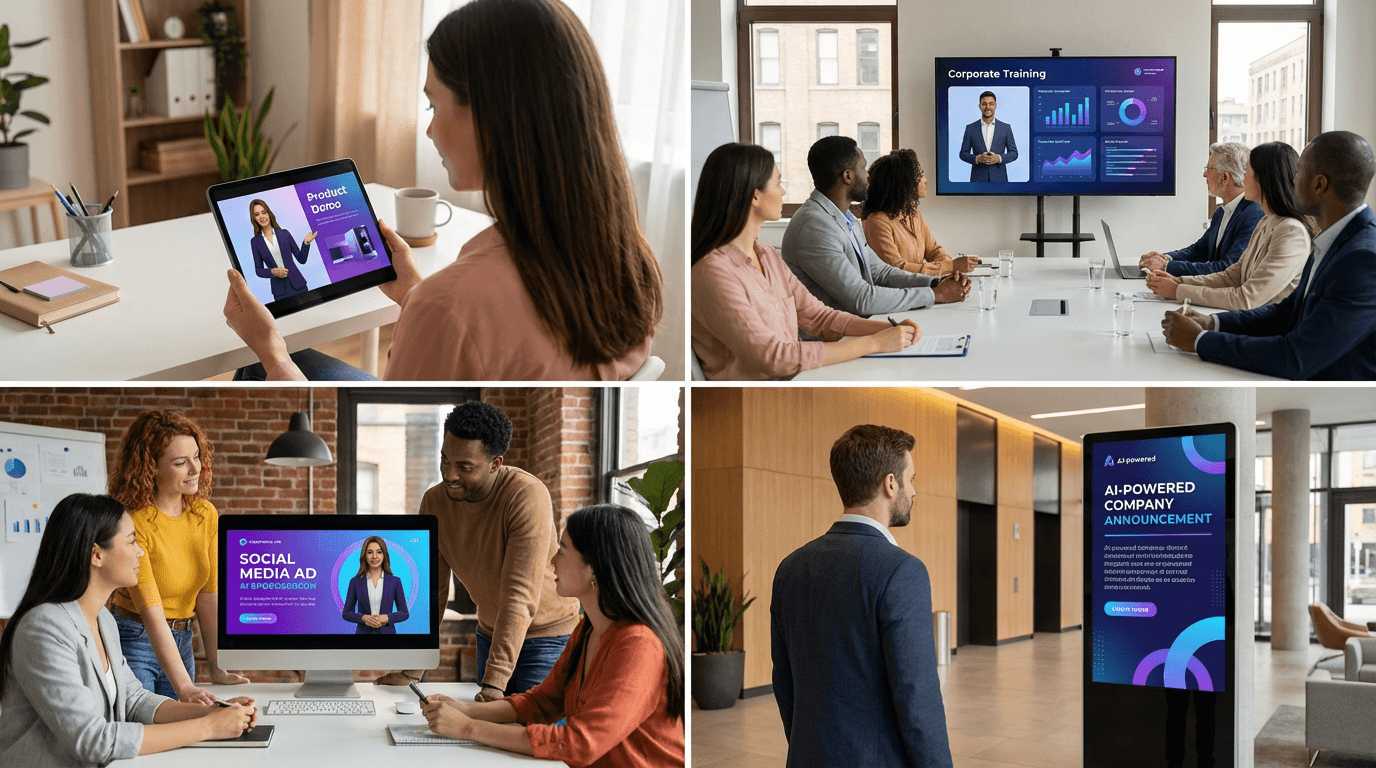
E-Commerce Product Demonstrations
Convert product specification slides into engaging video demos for Amazon listings, Shopify stores, or app store marketing pages. AI product video capabilities transform static product images into dynamic presentations with AI narration explaining features and benefits. Video format works especially well for technical products requiring demonstration of functionality.
Corporate Training and Onboarding
Training departments produce consistent onboarding materials without scheduling recording sessions. Convert existing training presentations into video libraries that new employees access on-demand. Multilingual support ensures global teams receive training in their preferred languages with synchronized subtitles.
Educational Course Content
Teachers and course creators transform lecture slides into video lessons for online learning platforms. Students benefit from self-paced learning with replay functionality for reviewing complex concepts. The AI handles narration, freeing instructors from recording multiple takes.
Marketing and Sales Presentations
Sales teams convert pitch decks into leave-behind videos for prospects. Marketing departments produce promotional content from campaign presentations without engaging video production agencies. Distribution across multiple channels amplifies message reach, and videos embedded in email campaigns show higher engagement than static attachments.
Executive Communications
Leadership teams share company updates and strategy announcements through video messages. AI avatars maintain consistent professional presentation while executives focus on message content rather than on-camera performance.
Advanced Features to Look For
Batch Video Generation
Efficient platforms process multiple presentations simultaneously or generate multiple versions of one presentation. Create the same content in 10 different languages overnight without manual intervention. Batch processing also enables A/B testing different avatar presenters, voiceover styles, or visual themes to identify which combinations drive best audience engagement.
Custom Avatar Creation
Leading platforms allow uploading photos or videos to create custom digital humans matching your brand's specific representation needs. Voice cloning technology replicates specific speakers, maintaining authentic personal connection while eliminating scheduling constraints.
Analytics Integration
Track video performance metrics including view duration, completion rates, and engagement patterns. Platforms like Keevx provide market trends analysis showing how video content performs relative to industry benchmarks.
Choosing the Right Platform for Your Needs
Keevx: Built for E-Commerce and Global Distribution
Best for: Cross-border merchants, advertising agencies, enterprise marketing teams
Keevx delivers minute-level video production optimized for e-commerce workflows. The platform's one-click URL to video conversion automatically generates product videos from Amazon, Shopify, eBay, Etsy, and app store listings without manual content input. Key features include:
- 70+ language localization with lip-sync technology
- 234 diverse AI avatars with 169 voice options
- 40+ industry-specific video templates
- Batch generation for scaling content production
- Cross-platform optimization for YouTube and TikTok
- Ideas to video for rapid content creation from concepts
The platform focuses on conversion-ready video content designed specifically for product promotion and global market expansion. Flexible pricing with low trial barriers enables testing before commitment.
Other Platform Considerations
Evaluate platforms based on specific workflow requirements. Look for native language support matching your target markets, avatar diversity representing your audience demographics, and template libraries aligned with your industry.
Frequently Asked Questions
Can I use speaker notes from my PowerPoint in the AI narration?
Yes, most AI video platforms automatically convert speaker notes into voiceover scripts. The AI uses notes as narration content rather than reading slide text directly. Review generated scripts before rendering to ensure proper interpretation.
What file formats and sizes do platforms accept?
Standard PPT and PPTX formats work across all major platforms. File size limits typically range from 50-100MB. For presentations exceeding size limits, compress embedded images or split content across multiple files.
How long does video generation take?
Generation time varies based on presentation length and platform processing capacity. Most services complete 3-minute videos within 2-5 minutes. Batch processing or high-resolution rendering may require longer processing times.
Can I edit the video after AI generation?
Yes, modern platforms support post-generation editing without re-rendering the entire video. Modify specific scenes, adjust voiceover timing, swap avatar choices, or update visual elements. More extensive edits may require regeneration.
Do I need technical skills to use these tools?
No, platforms design interfaces for users without video production experience. The workflow follows straightforward steps: upload presentation, select avatar and voice, customize branding, and generate. Automated processing handles technical details like rendering and audio synchronization.
What resolution and aspect ratios are available?
Platforms typically support HD (1080p) and 4K resolution output. Choose from multiple aspect ratios including 16:9 (YouTube/website), 9:16 (TikTok), 1:1 (square social media), and 4:5 (Instagram feed) based on your distribution strategy.
Conclusion
PowerPoint to video AI transforms how businesses create and distribute visual content. The technology eliminates traditional barriers of time, budget, and technical expertise while expanding content reach across global markets. Automated workflows deliver professional results in minutes, enabling teams to maintain pace with accelerating content demands.
Modern platforms like Keevx specialize in e-commerce applications with features designed specifically for product promotion and international market expansion. The combination of AI avatars, multilingual localization, and batch generation capabilities makes video production scalable for businesses of any size.
Converting existing presentations to video format maximizes the value of content you've already created while making that information more accessible and engaging for modern audiences. Whether you're producing training materials, marketing campaigns, or product demonstrations, AI-powered conversion delivers professional video content without the complexity of traditional production workflows.
