
AI Image Retouching: Enhance Product Photos Automatically
AI image retouching automates product photo enhancement by removing imperfections, adjusting lighting, and improving quality in seconds—reducing editing time by up to 96%.
TL;DR: AI image retouching uses machine learning algorithms to automatically enhance product photos by removing imperfections, adjusting lighting, refining colors, and improving overall quality in seconds. This technology reduces editing time by up to 96% while maintaining professional studio-grade results, making it essential for e-commerce businesses and content creators who need consistent, high-quality visuals at scale.
Product photography can make or break your online business. According to research from leading e-commerce platforms, high-quality product images directly impact conversion rates, with professional photos increasing sales by up to 30%. Traditional retouching requires hours of manual work, skilled editors, and expensive software. AI image retouching transforms this process by automating technical enhancements while delivering professional results in minutes, not hours.
Modern AI retouching tools analyze thousands of images to learn optimal enhancement patterns, then apply intelligent adjustments tailored to each photo. Whether you're selling fashion items on Shopify, electronics on Amazon, or handmade crafts on Etsy, AI-powered retouching ensures your products look their absolute best without requiring professional photography skills or expensive editing resources.
What Is AI Image Retouching?
AI image retouching uses artificial intelligence and machine learning to automatically enhance digital images. Unlike traditional editing requiring manual adjustments, AI analyzes images, identifies areas needing improvement, and applies intelligent corrections automatically.
The technology works by training neural networks on millions of before-and-after images. These networks learn to recognize common photography issues like poor lighting, color imbalances, rough textures, unwanted reflections, and compositional problems. When you upload a product photo, the AI instantly evaluates every pixel and applies targeted enhancements to match professional photography standards.
How AI Retouching Differs from Traditional Editing
Traditional editing requires manual adjustments using tools like Photoshop, demanding technical expertise and significant time. This works for single high-value images but becomes impractical for hundreds or thousands of product photos.
AI retouching automates these tasks while maintaining natural results. According to Imagen AI, AI reduces editing time by up to 96%, transforming multi-day projects into hour-long processes. The AI learns your preferred style and applies consistent enhancements across your entire catalog.
Key Technologies Behind AI Retouching
AI retouching combines computer vision to identify objects and imperfections, machine learning models trained on massive datasets for optimal enhancements, and automated processing pipelines enabling batch enhancement while maintaining consistent quality.
Essential Features of AI Image Retouching Tools
Professional AI retouching platforms offer comprehensive feature sets designed specifically for product photography and e-commerce applications. Understanding these capabilities helps you select the right tool for your business needs.
Core Retouching Features
Background Enhancement: Automatically removes distracting backgrounds and creates studio-quality alternatives with consistent white or gradient backgrounds across product listings.
Lighting Correction: Adjusts brightness, contrast, and shadow detail to create balanced, professional images without artificial appearance.
Color Accuracy: According to Photoroom, color discrepancies cause product returns. AI corrects color casts and ensures true-to-life representation across devices.
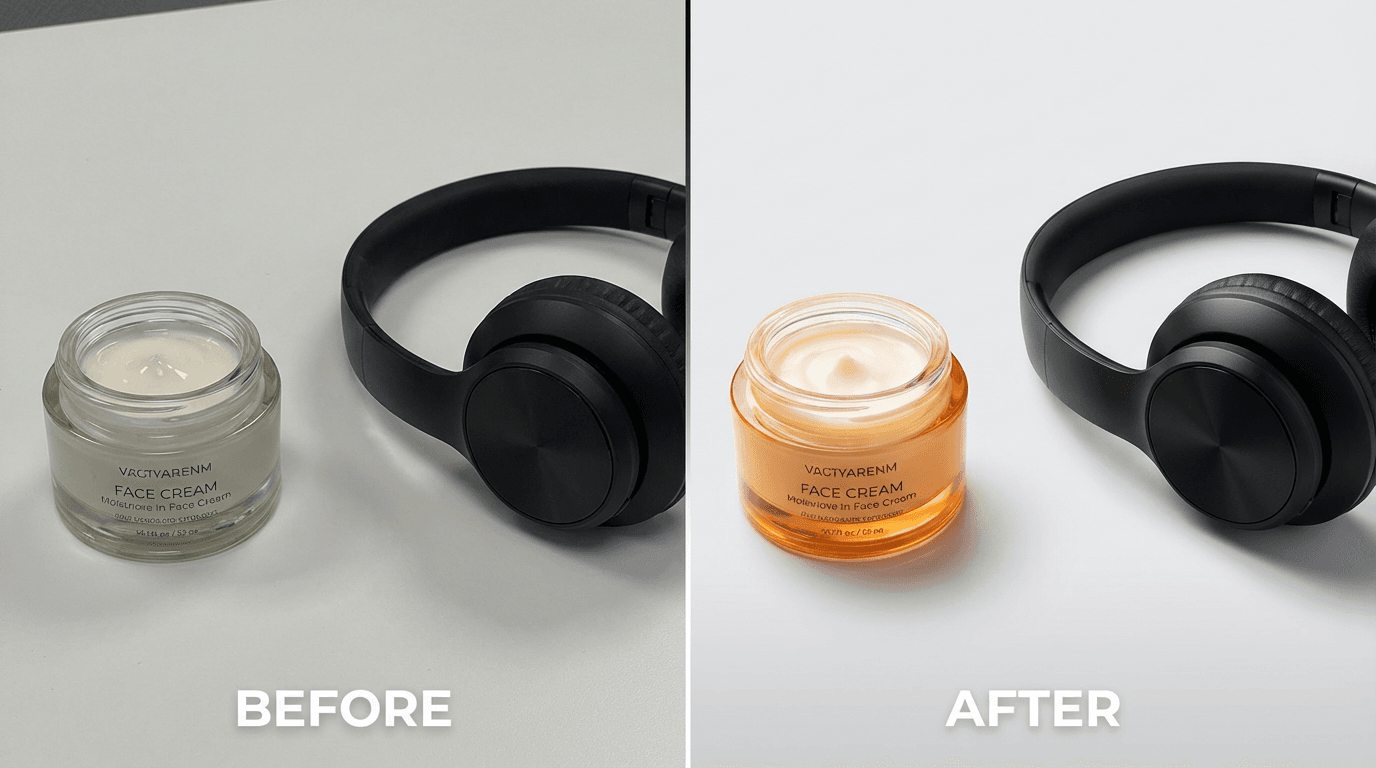
Surface Refinement: Smooths rough textures, removes scratches and dust, and refines edges while preserving authentic material textures.
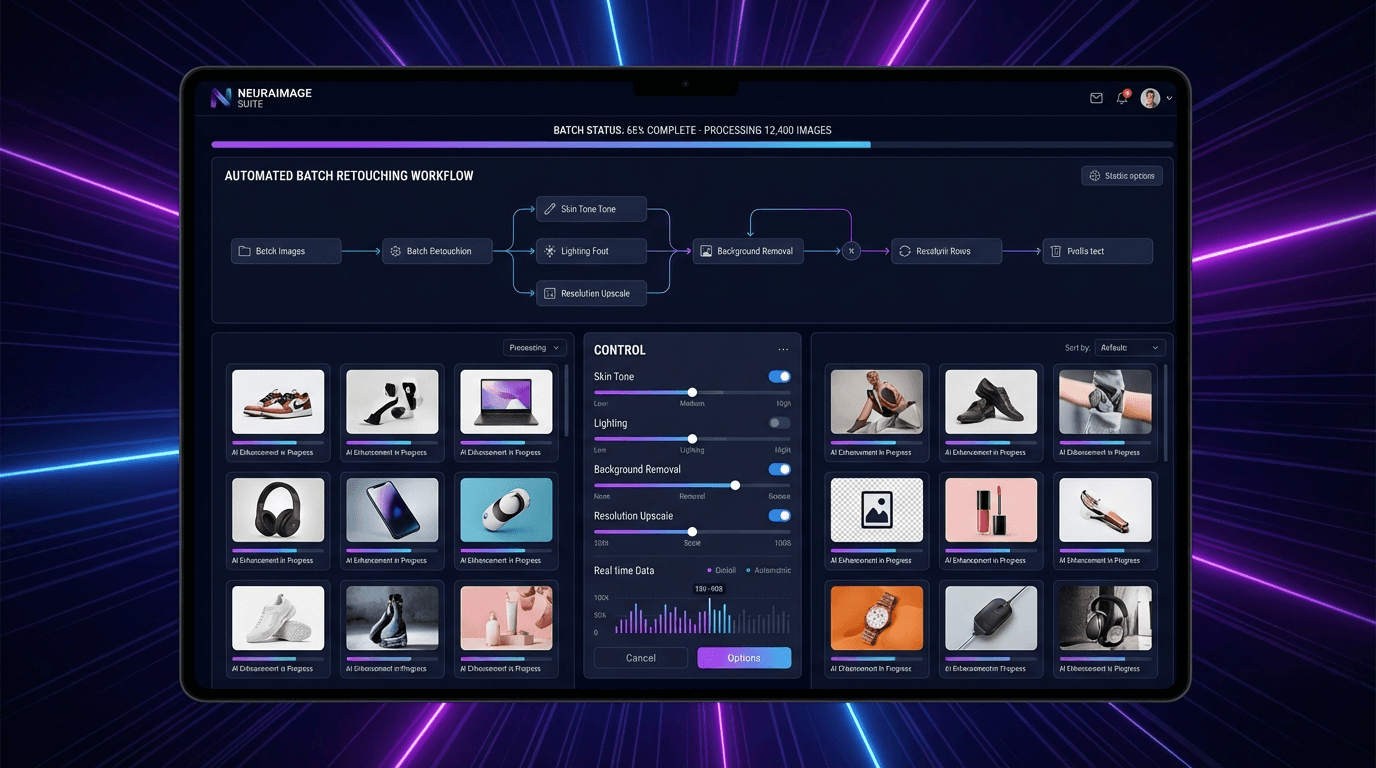
Batch Processing: Processes hundreds or thousands of images simultaneously, delivering professionally retouched product catalogs in minutes.
How to Use AI Image Retouching for Product Photography
Implementing AI image retouching in your workflow requires understanding both the technology and best practices for optimal results. Follow this practical approach to maximize quality while minimizing editing time.
Step 1: Choose the Right AI Retouching Platform
Select a platform matching your specific needs. Consider these factors:
Volume Requirements: How many images do you process monthly? Some platforms charge per image while others offer unlimited processing with subscription plans.
Product Categories: Different tools specialize in various product types. Fashion items require different enhancements than electronics or food products.
Integration Capabilities: Look for platforms that integrate directly with your e-commerce platform. Tools offering one-click integration with Amazon, Shopify, eBay, or Etsy streamline your workflow significantly.
Keevx stands out for cross-border e-commerce merchants by combining AI product video creation with product photo enhancement. The platform converts product URLs directly into professional content, supporting 70+ languages with automated translation and localization capabilities.
Step 2: Prepare and Process Images
Shoot in good lighting with high resolution for optimal AI enhancement. Configure your enhancement intensity, style preferences, and selective adjustments to match your brand aesthetic.
Step 3: Review and Optimize
Always review final images for color accuracy, natural appearance, and consistency before publishing. Optimize for platform-specific requirements—Amazon needs white backgrounds, Instagram benefits from vibrant colors, while eBay values detailed product views. Platforms like Keevx automate cross-platform optimization, generating AI video ads formatted for YouTube, TikTok, and e-commerce marketplaces.
Top Use Cases for AI Image Retouching
AI image retouching delivers value across numerous industries and applications. Understanding common use cases helps identify opportunities for your business.
E-Commerce Product Photography
Online retailers face constant pressure to produce high-quality product images at scale. According to PicWish, professional product retouching typically costs $5-50 per image when outsourced to human editors. AI retouching reduces this cost to pennies per image while processing hundreds of photos simultaneously.
Cross-border sellers particularly benefit from AI retouching's consistency. When selling across multiple international marketplaces, maintaining uniform product presentation builds brand recognition and customer trust. Translate & dub video capabilities further enhance this by localizing visual content for regional markets.
Industry-Specific Applications
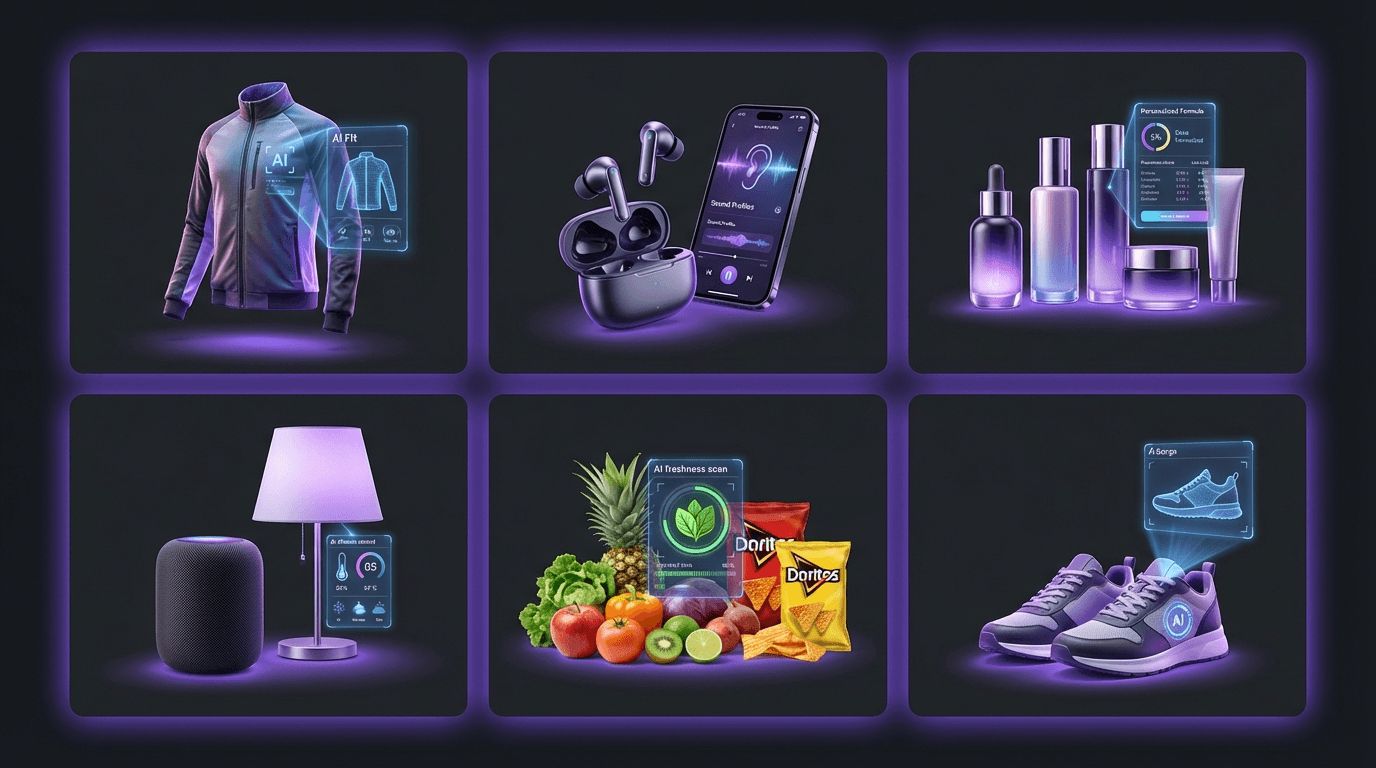
Fashion: AI tools like Retouch4me smooth wrinkles, enhance fabric textures, and correct lighting while maintaining natural appearance.
Electronics: Enhances screen displays, removes reflections from glossy surfaces, and sharpens product edges with consistent white backgrounds.
Cosmetics: Ensures accurate color representation for makeup shades and manages reflective surfaces while maintaining authentic appearance.
Home Goods and Food Photography
Furniture requires attention to scale, texture, and context—AI enhances wood grain, corrects perspective, and replaces warehouse backgrounds with lifestyle settings. Food photography benefits from enhanced color vibrancy, optimized lighting for appetizing presentation, and maintained natural appearance.
Advanced AI Retouching Techniques
Advanced AI capabilities enable sophisticated transformations including generative background replacement for lifestyle settings, smart object removal for unwanted elements, adaptive style transfer for brand consistency, and automated model enhancement. These features particularly support market trends adaptation, allowing quick visual updates as consumer preferences evolve.
Choosing the Best AI Image Retouching Tool
Selecting the right AI retouching platform requires evaluating several critical factors beyond basic features.
Key Selection Criteria
Choose platforms with seamless e-commerce integration, appropriate pricing models (per-image or subscription), and proven quality. Keevx offers one-click Amazon, eBay, Shopify, and Etsy URL conversion, transforming product links directly into professional content. According to Imagen AI, AI retouching costs just a few cents per photo versus $5-50 for human editors. Evaluate processing speed, batch capabilities, and support resources when making your selection.
Frequently Asked Questions
What is the difference between AI retouching and traditional photo editing?
Traditional photo editing requires manual adjustments to every element using software like Photoshop, demanding technical skills and significant time investment. AI image retouching automates these processes by analyzing images and applying intelligent enhancements automatically. While manual editing offers maximum creative control for individual images, AI excels at processing large volumes quickly while maintaining consistent quality. According to Imagen AI, AI can reduce editing time by up to 96%, making it ideal for e-commerce businesses managing hundreds or thousands of product photos.
Can AI retouching replace professional photographers?
AI retouching complements rather than replaces professional photography. The technology enhances existing photos by correcting technical issues, but it cannot create compelling compositions or capture products in optimal conditions. You still need quality source photography—proper lighting, good composition, and clear product presentation. Think of AI retouching as an automated post-production assistant that handles technical corrections efficiently, allowing photographers and merchants to focus on creative aspects and business growth. The combination of skilled photography with AI-powered post-processing delivers the best results.
How much does AI image retouching cost?
AI image retouching costs vary by platform and usage volume. Per-image pricing typically ranges from $0.05 to $0.50 per photo, significantly less than human editors who charge $5-50 per image. Subscription plans offer better value for high-volume users, with monthly fees ranging from $20 to $200 depending on features and processing limits. Many platforms including Keevx offer free trials allowing you to test capabilities before committing. For cross-border e-commerce merchants processing thousands of product images monthly, subscription plans with unlimited processing provide the best return on investment.
Does AI retouching work for all product types?
Modern AI retouching tools handle diverse product categories effectively, though some specialize in specific niches. Fashion, electronics, cosmetics, home goods, and food products all benefit from AI enhancement, but optimal results require choosing tools designed for your product type. Fashion items need fabric texture enhancement and wrinkle removal, electronics require sharp details and reflection management, while food photography demands vibrant colors and appetizing presentation. Evaluate platforms using your actual products to ensure they deliver results meeting your quality standards. Multi-purpose platforms like those offering avatar & voice cloning for product demonstrations provide comprehensive content solutions beyond static image retouching.
How do I maintain brand consistency with AI retouching?
Maintaining brand consistency with AI retouching requires configuring your platform to match your visual style. Most advanced tools learn from your manually edited reference images and create custom AI profiles that apply your preferred aesthetic automatically. Upload 10-20 representative images showing your ideal style, and the AI learns your color grading preferences, contrast levels, saturation choices, and overall visual approach. This ensures every retouched image maintains consistent brand presentation across your product catalog. Regular quality reviews help identify any drift from your standards, allowing you to refine AI settings as needed.
Conclusion
AI image retouching transforms product photography from a time-consuming bottleneck into a streamlined, efficient process. By automating technical enhancements while maintaining professional quality, these tools enable e-commerce businesses to produce consistent, high-quality product images at scale. Whether you're selling on Amazon, Shopify, eBay, or Etsy, AI-powered retouching ensures your products look their absolute best without requiring expensive editing resources or specialized technical skills.
The technology continues advancing rapidly, with new capabilities like generative backgrounds, adaptive style transfer, and intelligent object removal expanding creative possibilities. For cross-border merchants, combining AI image retouching with automated ideas to video conversion and multilingual localization creates comprehensive content strategies that reach global audiences effectively.
Start by testing AI retouching tools with your existing product photos. Most platforms offer free trials allowing hands-on evaluation before committing. Focus on finding solutions that integrate seamlessly with your workflow, deliver consistent quality matching your brand standards, and scale affordably as your business grows.
