
Shopify Product Video: Add AI-Generated Videos in Minutes
Discover how to add professional AI-generated product videos to your Shopify store in minutes. Boost conversions up to 80% without filming or editing skills.
TL;DR: AI-generated product videos boost Shopify store conversions by up to 80%. This guide shows you how to add professional AI avatar videos to your store in minutes using tools like Keevx, with no filming or editing skills required.
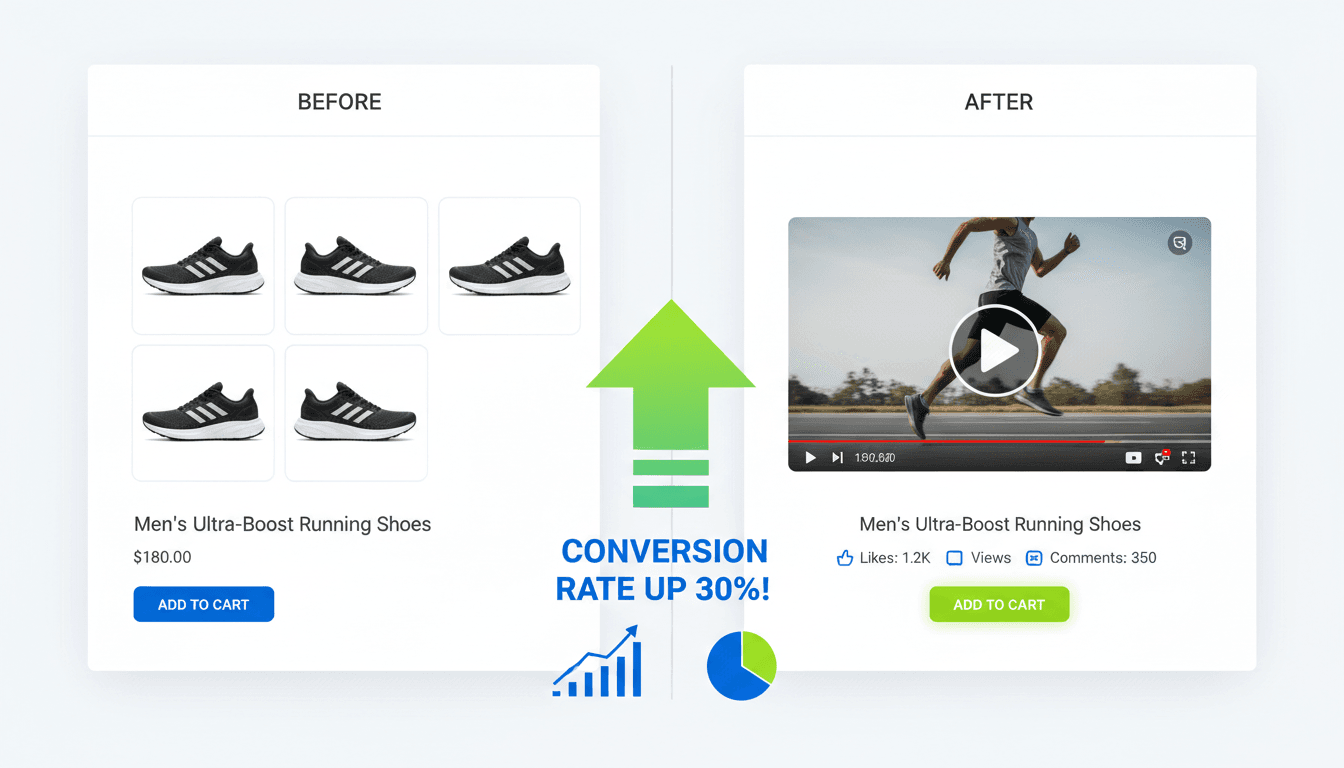
Product videos have become essential for e-commerce success. According to recent data, 89% of consumers say watching a video convinced them to make a purchase, and pages featuring videos can achieve conversion rates up to 80% higher. For Shopify merchants, the challenge has been creating professional video content without massive budgets or technical expertise.
AI-generated videos solve this problem. Instead of hiring production crews or learning editing software, you can create studio-quality product videos featuring digital avatars in minutes. This guide walks you through adding AI-powered product videos to your Shopify store.
Why AI-Generated Product Videos Work for Shopify Stores
Traditional product photography shows what items look like, but videos demonstrate how they work and solve customer problems. The difference is significant: 73% of US adults are more likely to purchase after watching a product video.
AI avatar technology enables consistent, multilingual product presentations at scale. Rather than filming separate videos for different markets, you can generate content in 70+ languages with lip-sync accuracy.
Research from Shopify shows that product videos increase time-on-page, signaling to search engines that visitors find your store valuable. Video thumbnails appear in 26% of search results, giving you additional visibility.
For cross-border e-commerce merchants, AI-powered video production streamlines the entire content pipeline. You input product URLs, select digital avatars, and batch-generate videos ready for deployment.
Understanding Shopify Product Video Requirements
Before adding videos to your store, understand the technical specifications. Shopify allows up to 250 images, 3D models, or videos per product on the Basic plan, 1,000 on Standard, and 5,000 on Advanced plans.
Video files should be up to 10 minutes in length and up to 1GB in size. However, optimal product videos run under two minutes, as shorter content generates the most engagement.
Shopify supports MP4, MOV, and WebM formats. For best performance across devices, MP4 with H.264 encoding delivers reliable playback on desktop and mobile browsers.
You can place videos in product galleries alongside photos, embed them in descriptions, feature them on your homepage, or use them on landing pages for promotional campaigns.
How to Add AI-Generated Videos to Shopify: Step-by-Step
Method 1: Using Keevx for One-Click Video Generation
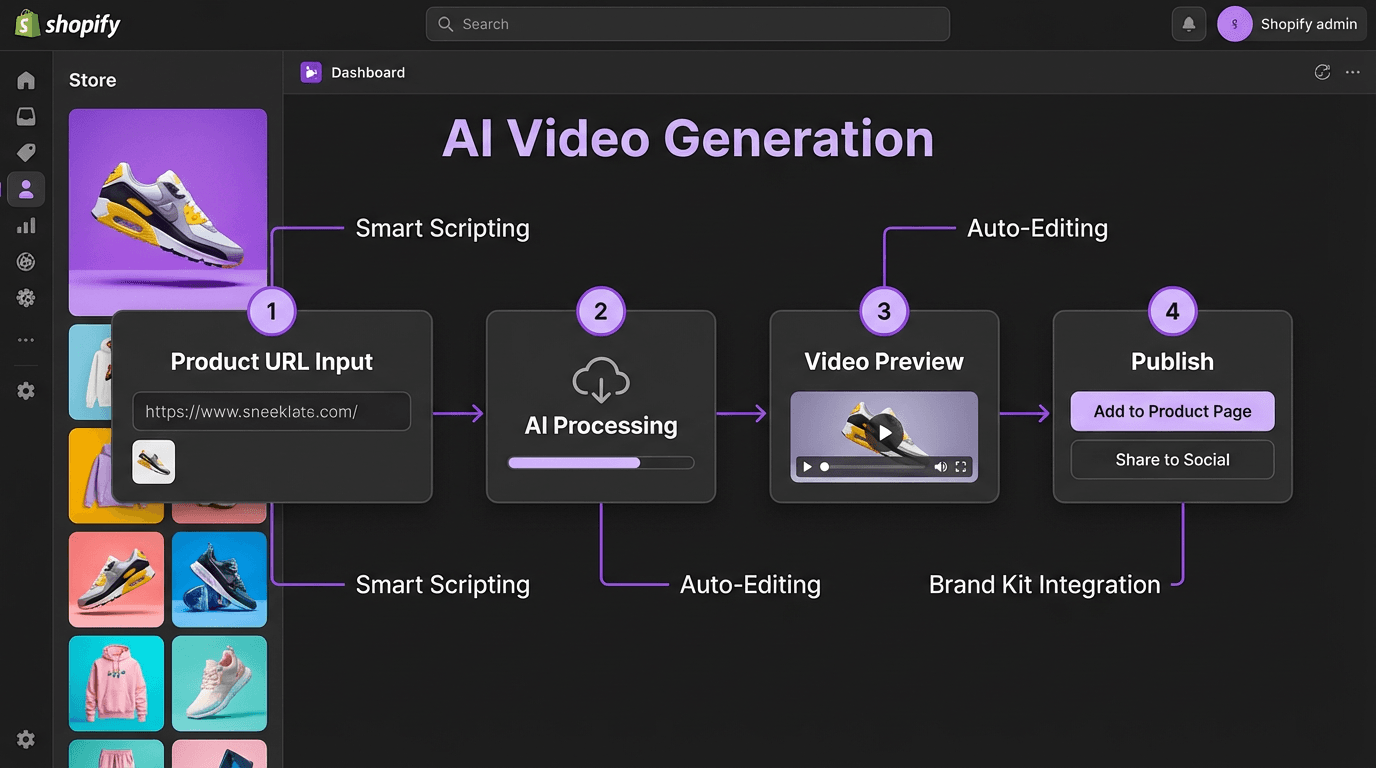
Keevx specializes in AI avatar videos for e-commerce, offering seamless integration with Shopify stores. The platform automates the entire production pipeline from product URL to finished video.
Step 1: Connect Your Shopify Store Sign up for Keevx and authorize store access. The platform automatically fetches your product catalog, including images, descriptions, and specifications.
Step 2: Generate Video Content Input your product URL or select items from your catalog. Keevx's AI analyzes product details and generates conversion-ready scripts.
Step 3: Select Digital Avatar and Voice Choose from 234 diverse avatars and 169 voice options supporting multiple regional languages and dialects.
Step 4: Customize and Localize Use the video translation feature to generate versions in 70+ languages with synchronized lip movements, ensuring your digital avatar speaks natively in each target language.
Step 5: Export and Upload to Shopify Download your finished video and upload directly to your product page through Shopify's admin interface.
Method 2: Direct Upload Through Shopify Admin
For videos created with other tools, navigate to your Shopify admin panel and select "Products." Choose your product, then in the Media section, click "Upload new" and select your video file. Shopify processes the upload and generates a thumbnail automatically. You can reorder media by dragging video thumbnails to your preferred position.
Method 3: Embedding YouTube or Vimeo Videos
Find your video on YouTube or Vimeo and copy the embed code. In your Shopify product editor, navigate to the description field and click the video embed icon. Paste your embed code and adjust width and height values to 100% for responsive display. This method saves Shopify hosting limits while leveraging content delivery networks for fast loading.
Method 4: Advanced Integration with Metafields
For developers seeking custom video placements, go to Settings > Custom data, then click Products. Define a new metafield named "Product video" with the type set to Multi-line text. Add your video embed code or hosted URL to this metafield for each product, then edit your theme's product template to display the content where desired.
Best Practices for Shopify Product Videos
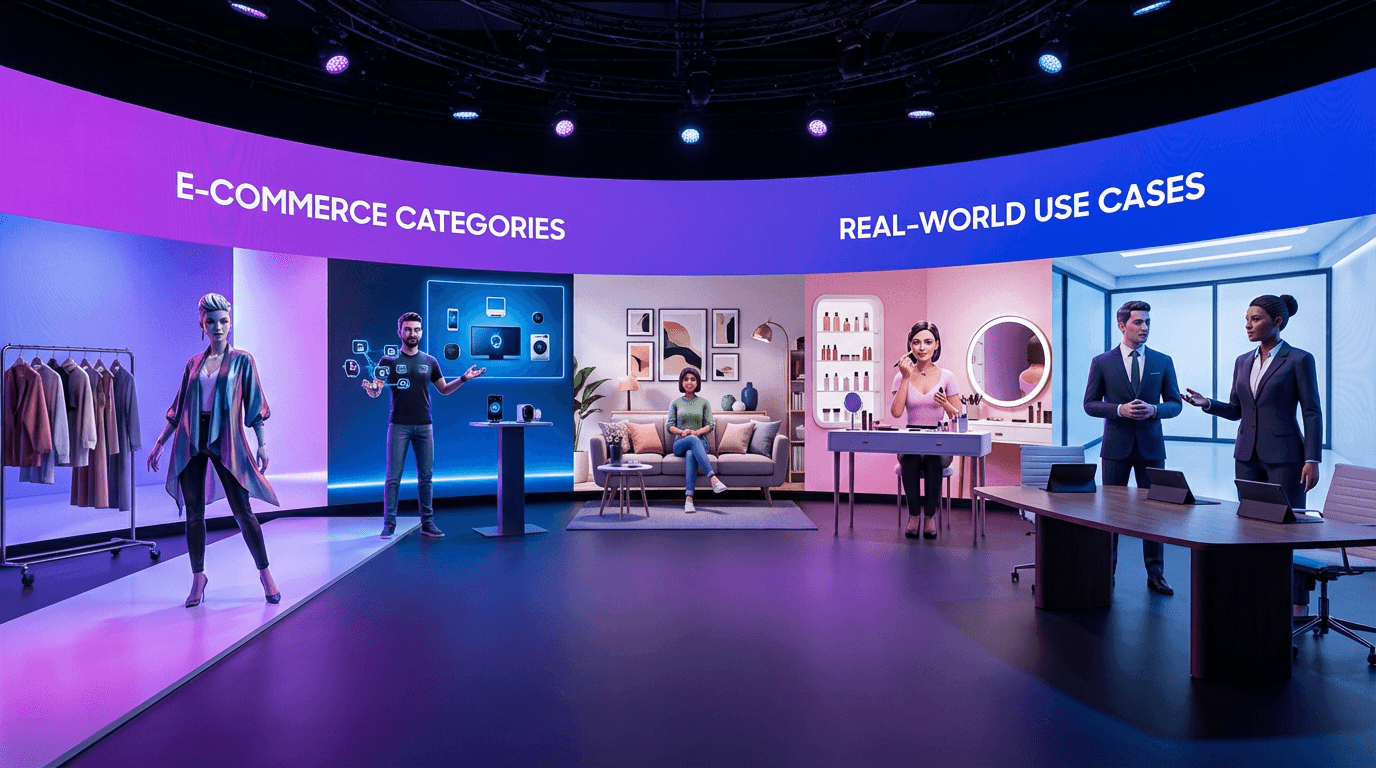
Creating effective product videos requires strategic planning beyond technical implementation.
Keep Videos Under Two Minutes Data shows videos under two minutes generate the most engagement. Focus on demonstrating key features and benefits rather than exhaustive product details.
Show Products in Action Static displays don't convert like dynamic demonstrations. Show your product being used, solving problems, or transforming situations to help customers visualize ownership and build confidence.
Include Clear Calls-to-Action Every product video should end with a specific next step: "Add to cart," "Learn more," or "Shop now." Videos with clear CTAs drive measurably higher conversion rates.
Optimize for Mobile Viewing Over 60% of e-commerce traffic comes from mobile devices. Test your videos on smartphones to ensure text remains legible and loading times don't frustrate shoppers.
Add Captions and Subtitles Many users watch videos without sound. Tools like Keevx automatically generate multilingual subtitles synchronized with avatar speech.
Leverage Templates for Consistency Using video templates ensures uniform style, pacing, and messaging across your catalog. Keevx offers 40+ pre-built templates designed for various industries and product categories.
Creating AI Video Ads for Multi-Platform Marketing
Product videos serve dual purposes: they enhance your Shopify store and provide ready-to-use marketing content for social platforms.
Platforms like TikTok, Instagram Reels, and YouTube Shorts prioritize video content. Keevx's AI video ads feature automatically optimizes content for different platform specifications and audience preferences.
Cross-platform distribution amplifies your video investment. A single product video can appear on your Shopify store, in Facebook ads, as Instagram Stories, on TikTok, and in YouTube campaigns. For Amazon, eBay, Etsy, and App Store sellers managing multiple storefronts, AI-generated videos enable one-click conversion of product URLs into platform-specific content.
Measuring Product Video Performance
Track key metrics to optimize your video strategy: video play rate, average view duration, conversion rate comparison, and time on page. Products with video typically show increased engagement metrics, signaling higher value to search algorithms.
Google Analytics 4 can track video interactions when properly configured. Set up event tracking for video plays, pause events, and completion rates to build performance dashboards.
For stores using market trends analysis, align video content with seasonal demand patterns. Create videos for trending products before peak seasons to maximize visibility when search interest surges.
Advanced AI Video Strategies for Shopify Merchants
Once you've mastered basic video integration, advanced strategies can differentiate your store from competitors.
For brands with existing video talent, avatar and voice cloning creates digital versions that maintain brand consistency across unlimited content. This is valuable for scaling internationally while preserving authentic brand voices.
Batch generation tools process entire product lists simultaneously, creating consistent video content at scale. For large catalogs with hundreds of SKUs, this is essential for seasonal launches or catalog-wide campaigns.
Start with concept brainstorming using ideas to video tools. Input product concepts, target audiences, and key selling points to generate complete video scripts and production plans that align with your marketing strategies.
Frequently Asked Questions
How long should Shopify product videos be?
Keep product videos under two minutes for optimal engagement. Research shows videos in the 30-90 second range generate the highest view completion rates. Focus on demonstrating key features and benefits rather than comprehensive product tours.
Can I use AI-generated videos in Shopify without filming?
Yes, AI avatar platforms like Keevx enable complete video production without filming equipment or talent. You provide product information, select a digital avatar and voice, and the AI generates studio-quality videos in minutes. This eliminates production costs while maintaining professional quality.
Do product videos improve Shopify SEO?
Product videos significantly boost SEO performance. Video thumbnails appear in 26% of search results, providing additional visibility. Videos increase time-on-page metrics, signaling to search engines that your content satisfies user intent and can improve search rankings.
What video format works best for Shopify?
MP4 with H.264 encoding offers the best compatibility across devices and browsers. Keep videos under 1GB and 10 minutes in length per Shopify's technical requirements. This format provides good compression ratios while maintaining visual quality.
Can I translate product videos for international customers?
Modern AI video tools offer automatic translation with lip-sync capabilities. Platforms like Keevx support 70+ languages with 178 dialects, generating localized video versions where digital avatars appear to speak natively in target languages. This enables rapid expansion into international markets.
How much do AI product videos cost?
Traditional video production costs $1,000-5,000 per product video, while AI-generated alternatives typically cost $10-50 per video. Keevx offers flexible pricing with low trial barriers, enabling merchants to test AI video generation before committing to larger plans.
Conclusion
AI-generated product videos represent a fundamental shift in e-commerce content creation. What once required expensive production crews and weeks of editing now takes minutes with tools designed for Shopify merchants.
The data is clear: videos boost conversions, improve SEO performance, and help customers make confident purchase decisions. By implementing AI avatar technology, you eliminate the barriers of cost, time, and technical expertise.
Start with your best-selling products to test impact on conversion rates. Use AI-generated videos to demonstrate functionality, highlight key features, and address common questions. As you see results, expand across your catalog.
For cross-border merchants, multilingual video localization opens new markets without proportional cost increases. Your product demonstrations can speak fluently in dozens of languages, making your Shopify store accessible to global audiences.
