
AI Video from Photo: Step-by-Step Creation Guide
Transform static photos into professional animated videos using AI generators. Upload images, add motion prompts, and create studio-quality videos in minutes without editing skills.
TL;DR: Transform static photos into professional animated videos using AI video generators. Upload your image, add motion prompts, select camera movements, and generate studio-quality videos in minutes without editing skills. Perfect for e-commerce, social media, and marketing content across 70+ languages.
Creating videos from static photos used to require advanced editing software and hours of manual work. AI video generators have changed this, enabling anyone to transform product images, portraits, or graphics into engaging video content in minutes. Whether you're an e-commerce seller or marketer, AI-powered image-to-video tools deliver professional results without technical expertise.
This guide walks through the complete process of creating AI videos from photos, from selecting the right tool to optimizing output for different platforms.
What Is AI Video from Photo Technology
AI video from photo technology uses machine learning models to analyze static images and generate realistic motion, camera movements, and animations. These tools predict how depth, lighting, and objects would behave in a moving scene, then apply cinematic effects to create smooth video clips.
Modern AI video generators support multiple aspect ratios (16:9 for YouTube, 9:16 for TikTok, 1:1 for Instagram), offer resolution up to 1080p, and can produce videos ranging from 3-8 seconds per generation. The technology has evolved from simple zoom effects to complex scene understanding with natural motion prediction.
According to recent platform comparisons, top-tier AI models like Google Veo 3, Runway, and Kling now deliver near-professional quality suitable for commercial use. The automation eliminates manual keyframing while maintaining creative control through text prompts and camera settings.
How AI Video from Photo Works
The technology combines computer vision and generative AI to analyze your photo, identify depth layers and objects, predict natural movement patterns, interpret your text prompts, and generate intermediate frames creating smooth motion. The automated pipeline runs in 30 seconds to 3 minutes, delivering an MP4 file ready for distribution.
Step-by-Step Guide to Creating AI Videos from Photos
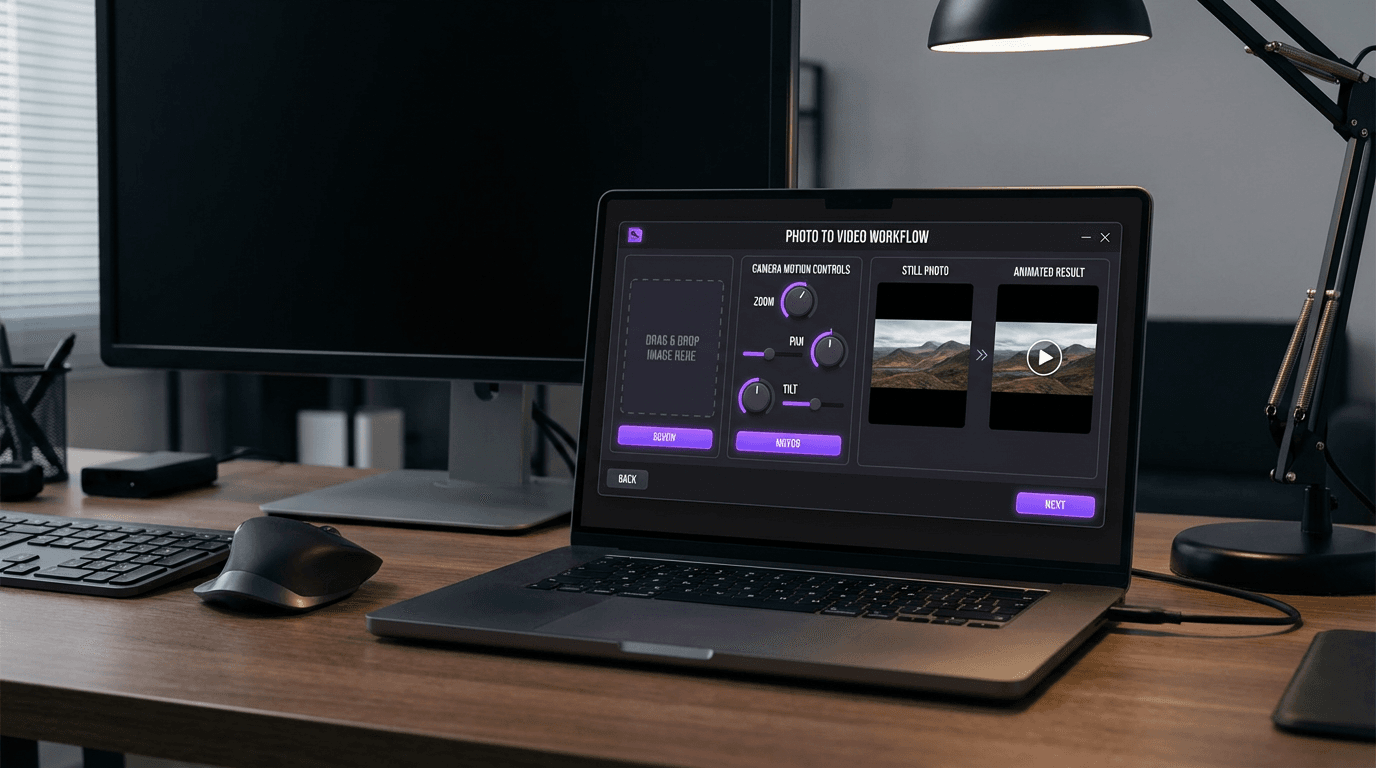
Step 1: Choose Your AI Video Platform
Select a platform based on your specific needs. For e-commerce sellers requiring multilingual content, platforms with built-in translation capabilities save significant time. Keevx offers one-click URL-to-video conversion for Amazon, Shopify, eBay, and Etsy listings, automatically extracting product images and generating videos in 70+ languages with lip-sync.
Other popular options include Adobe Firefly for creative professionals, InVideo for quick social media content, and specialized tools like Runway or Kling for advanced motion control.
Step 2: Upload High-Quality Images
Image quality directly impacts video output:
- Resolution: Minimum 1920×1080 recommended
- Format: JPG, PNG, or WEBP
- Background: Clean backgrounds (white, black, or soft gradients) work best
- Composition: Center subjects with space for camera movement
Ensure proper lighting with no harsh shadows. Portrait images need clear facial features for avatar animations.
Step 3: Write Effective Motion Prompts
Effective prompts combine camera action ("slow zoom in," "pan left to right"), subject motion ("product rotates 360 degrees," "water ripples"), and scene atmosphere ("cinematic lighting," "soft bokeh").
Tip: Keep prompts specific and realistic. "Camera slowly zooms in on the product with soft lighting" works better than vague instructions.
Example prompts:
- E-commerce: "Slow 360-degree rotation with studio lighting"
- Portrait: "Person nods and smiles at camera, natural movement"
- Landscape: "Clouds drift slowly, gentle camera pan right"
- Food: "Steam rising gently, slow zoom to close-up"
Step 4: Configure Video Settings
Adjust technical parameters based on your distribution channel:
Aspect Ratio Selection:
- 16:9 (horizontal) for YouTube, websites, presentations
- 9:16 (vertical) for TikTok, Instagram Reels, YouTube Shorts
- 1:1 (square) for Instagram feed posts
- 4:5 (portrait) for Facebook and Instagram Stories
Duration: Most platforms generate 3-8 second clips per image. For longer videos, create multiple variations and edit them together, or use platforms that support batch generation.
Resolution: Select 1080p for professional quality. Lower resolutions process faster but reduce clarity on larger screens.
Step 5: Select Camera Movement Style
Camera motion adds professional polish without complex editing. Standard options include:
- Static with subject motion: Camera stays fixed while elements in the image animate
- Zoom: Slow push-in (zoom in) or pull-out (zoom out)
- Pan: Horizontal movement left or right
- Tilt: Vertical movement up or down
- Combination movements: Pan while zooming, tilt with slight rotation
Match camera movement to content purpose. Product showcases benefit from slow rotations or zoom-ins. Lifestyle content works well with gentle pans and natural subject motion.
Step 6: Generate and Preview
Click generate and wait for processing. Once finished, preview the output to check motion smoothness, visual quality, and timing. Test on mobile devices if targeting social platforms. If results don't meet expectations, adjust your prompt or camera settings and regenerate.
Step 7: Download and Optimize for Distribution
Download the MP4 file. For cross-platform distribution, compress files for faster loading, add captions for sound-off viewing (85% of social videos play without sound initially), and include branding if needed.
Platforms like Keevx automate this with AI video ads templates optimized for different channels and automatic subtitle generation in multiple languages.
AI Video from Photo Use Cases
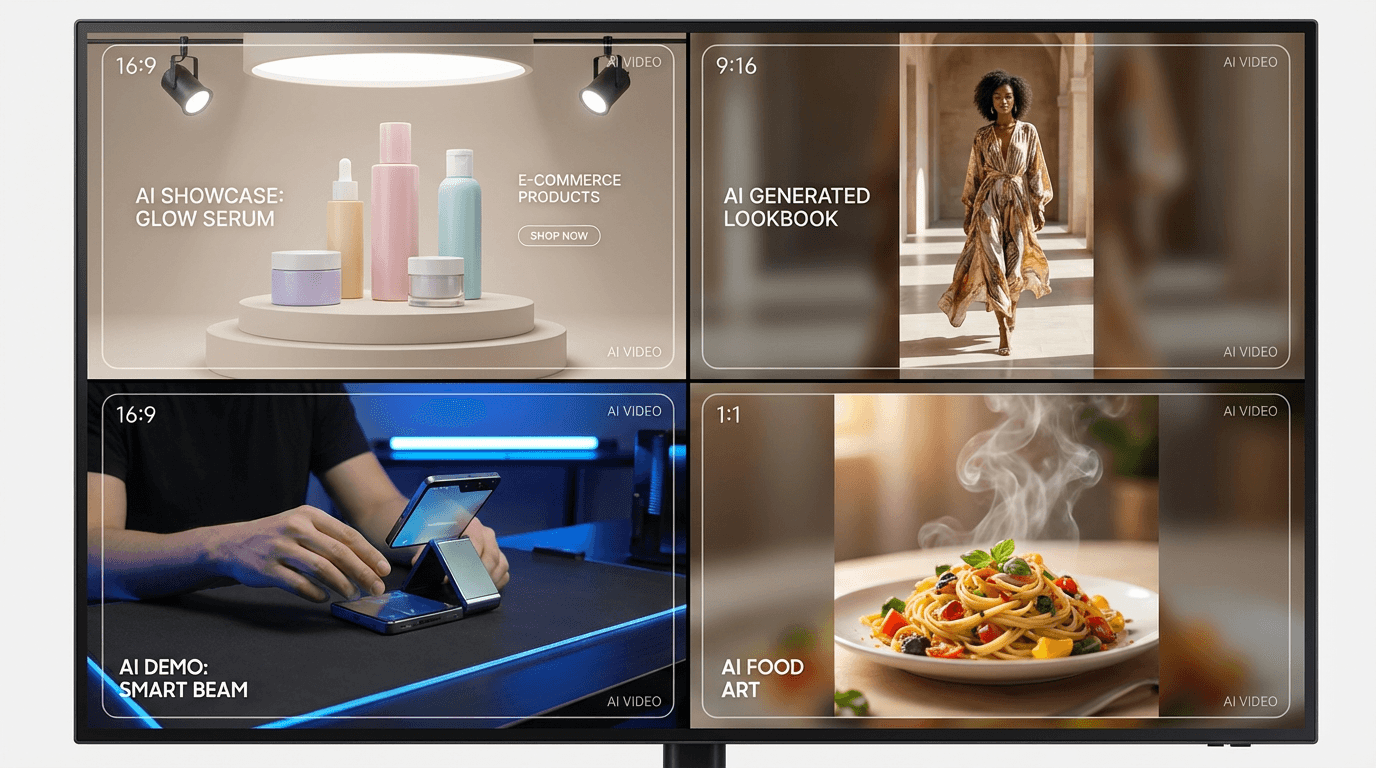
E-Commerce Product Videos
Transform product photography into compelling video ads. Amazon, Shopify, and eBay sellers use AI video generators to create demonstration clips showing products from multiple angles, highlighting features through zoom and rotation effects.
Conversion rates improve significantly when product listings include video content. According to e-commerce research, listings with videos see up to 80% higher conversion rates compared to photo-only listings. AI automation makes this scalable across entire catalogs.
Platforms offering AI product video features can convert product URLs directly to videos, extracting images and specifications automatically.
Social Media Content Creation
Content creators use AI video from photo tools to maintain consistent posting schedules. Convert behind-the-scenes photos, user-generated content, or brand imagery into engaging posts optimized for Instagram, TikTok, and YouTube Shorts. Batch processing allows creating variations with different camera movements for A/B testing.
Multilingual Marketing Campaigns
For businesses targeting international markets, AI video translation extends reach without reshooting content. Upload a single product image, generate the base video, then use translate and dub video features to create localized versions in 70+ languages with accurate lip-sync.
This approach reduces production costs by 90% compared to traditional multilingual video production requiring native speakers and separate filming sessions.
Educational and Training Content
Corporate training departments and educational institutions convert presentation slides, diagrams, and infographics into dynamic video lessons. Strategic zooms and highlights draw attention to key information without requiring animation software expertise.
Advanced Techniques for Better Results
Combining AI Avatars with Photo Backgrounds
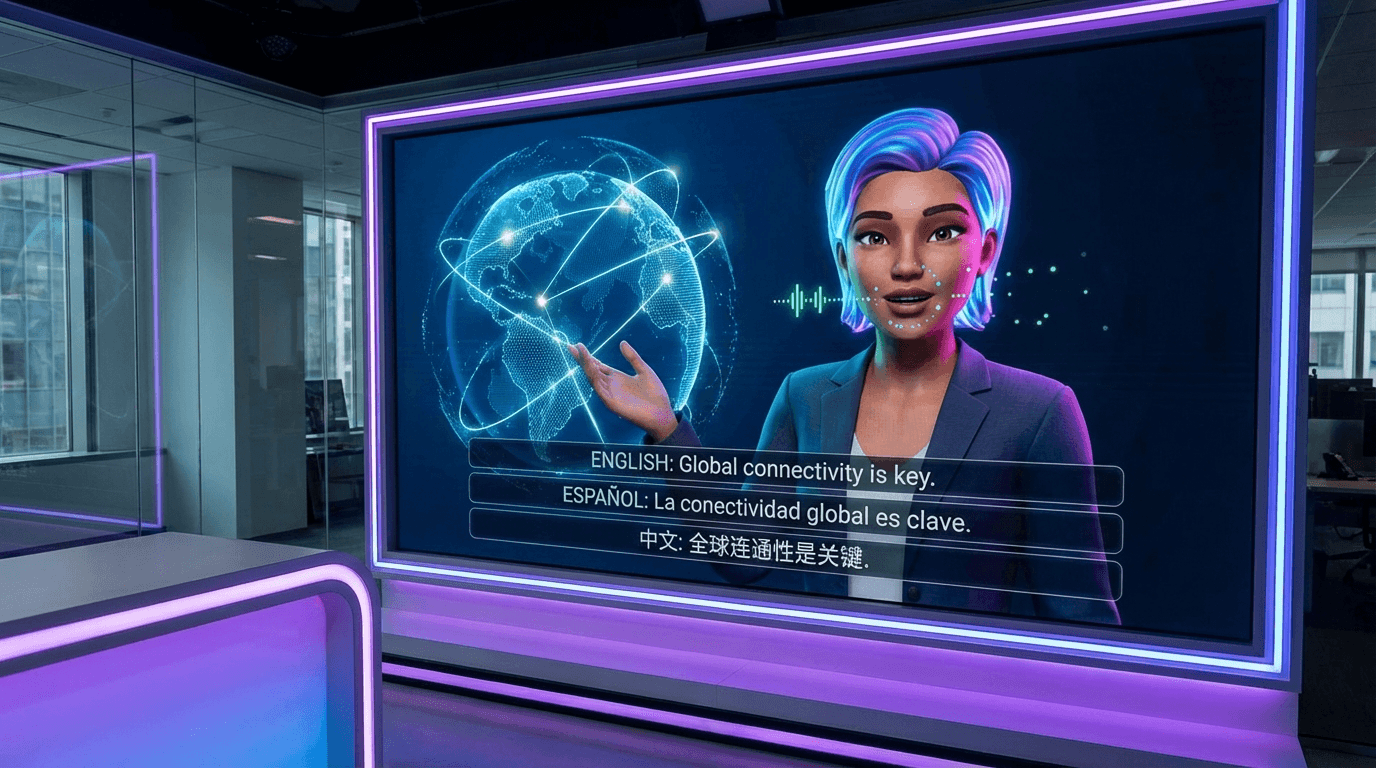
Platforms offering avatar and voice cloning capabilities enable placing digital presenters into your photo backgrounds. This creates professional talking-head videos where AI avatars deliver scripted content against product photos or branded environments.
Select from diverse avatar libraries (234+ characters in platforms like Keevx) and pair with 169 voice options supporting regional languages. The avatar appears to present naturally within your image composition.
Using Market Trends for Content Ideas
Tools with market trends analysis identify viral content patterns and popular formats in your niche. Analyze competitor videos, trending hashtags, and engagement metrics to inform your camera movement choices and duration settings.
Batch Processing for Efficiency
For businesses managing large product catalogs, batch generation saves substantial time. Upload multiple images simultaneously, apply consistent settings, and generate videos in bulk. This workflow works well for seasonal campaigns and product launches. Platforms supporting ideas to video automation can generate concepts and scripts before video creation.
Template-Based Production
Pre-built templates provide structure for product demonstrations, testimonial videos, how-to tutorials, event announcements, and app store previews. Templates include optimized camera movements, text placement, and duration settings proven to drive engagement.
Common Challenges and Solutions
Unnatural Motion: Reduce motion intensity in prompts. Use "subtle," "gentle," or "slow" instead of "dramatic" or "fast."
Poor Image Quality: Blurry outputs result from low-resolution sources. Start with images at least 1920×1080 pixels.
Inconsistent Results: Generate 3-5 variations with identical settings, then select the best output.
Platform Limitations: Free tiers restrict resolution and add watermarks. For commercial use, paid plans provide full resolution and commercial licensing.
Frequently Asked Questions
How long does it take to generate an AI video from a photo?
Processing takes 30 seconds to 3 minutes depending on resolution and complexity. Simple animations generate faster than complex scenes. Batch processing runs concurrently.
Can I use AI-generated videos for commercial purposes?
Commercial rights depend on platform licensing. Most paid plans grant full commercial use for advertisements, product listings, and client work. Free tiers often restrict commercial use or require attribution.
What image types work best for AI video generation?
High-resolution photos (1920×1080 minimum) with clear subjects and clean backgrounds work best. Product photography, portraits, landscapes, and lifestyle images produce optimal results. Avoid compressed images, low-light photos, or complex text.
Do I need video editing skills to create AI videos from photos?
No editing skills required. Upload an image, write a motion prompt, select aspect ratio, and the platform handles all technical aspects. Advanced users can combine clips in editing software, but it's optional.
Can AI video generators animate specific parts of an image?
Advanced platforms allow regional control through prompts like "animate the person's face while keeping the background static." Capabilities vary, with some offering mask-based selection for precise control.
How do I convert e-commerce product URLs to videos automatically?
Platforms like Keevx offer one-click URL conversion for Amazon, Shopify, eBay, or Etsy. Paste a product URL, and the tool extracts images, descriptions, and specifications to generate a professional video showcase automatically.
Conclusion
AI video from photo technology transforms static images into engaging video content without editing expertise or expensive production budgets. By following the steps outlined—selecting the right platform, uploading quality images, writing effective prompts, and optimizing settings—you can create professional videos in minutes.
E-commerce sellers benefit from higher conversion rates with product videos. Marketers scale content production across multiple platforms and languages. Businesses reduce video production costs while maintaining consistent output quality.
Start with simple animations to understand your chosen platform's capabilities, then explore advanced features like AI avatars, multilingual dubbing, and template-based automation as your needs grow.
The technology continues advancing rapidly, with new models delivering improved realism and creative control. The fundamental workflow remains accessible to anyone willing to experiment with prompts and settings.
