
Image to Image AI: What It Is & Best Tools
Image to image AI transforms existing visuals into new styles while preserving composition. Learn how top tools help e-commerce merchants create video-ready content in minutes.
TL;DR: Image to image AI transforms existing images into new styles while preserving composition. Unlike text-to-image generators that create from scratch, these tools use your photo as a starting point and apply artistic styles, color changes, or format variations. Top tools include Keevx for video-ready content, Adobe Firefly for commercial safety, and Stable Diffusion for customization.
Digital transformation no longer requires starting from scratch. Image to image AI lets you take any existing visual and reimagine it instantly—changing a product photo's background, applying artistic styles to portraits, or converting sketches into photorealistic renders. For cross-border e-commerce merchants and content creators, this technology eliminates costly reshoots while maintaining brand consistency across platforms.
What Is Image to Image AI?
Image to image AI is a generative technology that transforms one image into another while maintaining its core structure. According to Adobe's guide to image transformation, these tools use two inputs: your source image (the starting point) and a text prompt (your creative instruction).
The key difference from text-to-image generation is preservation. While text-to-image creates entirely new visuals from descriptions, image to image AI uses your existing photo as a foundation. Machine learning models trained on massive image datasets analyze composition, lighting, and forms in your original picture, then blend them with concepts from your prompt.
How Image to Image AI Works
The transformation process follows a straightforward workflow:
- Upload your reference image - Your source photo guides the composition and structure
- Write a descriptive prompt - Specify the style, changes, or effects you want
- Adjust transformation strength - Control how much the AI modifies the original
- Generate variations - Create multiple options to choose your best result
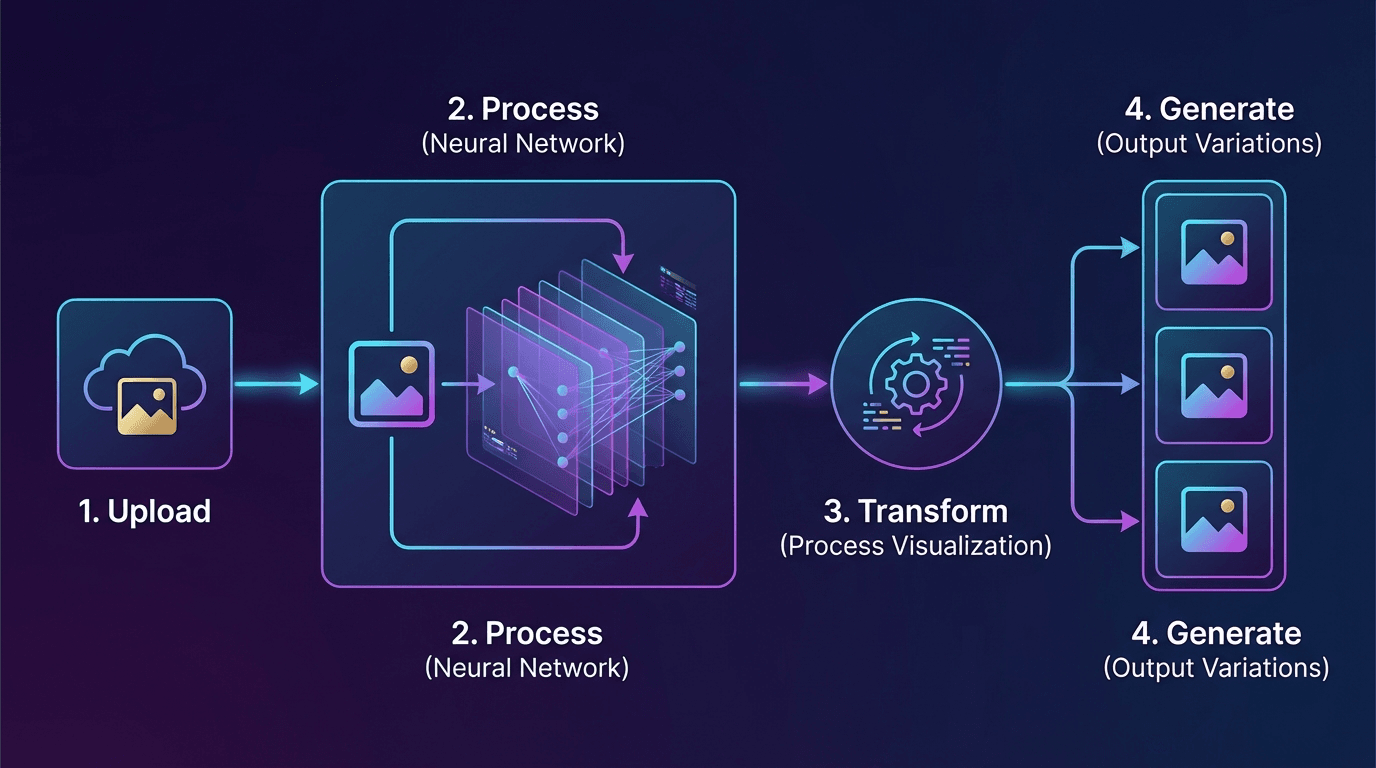
Modern platforms like Keevx extend this capability beyond static images. The platform's AI Product Video feature converts product photos into studio-quality video content with digital avatars, eliminating filming requirements while maintaining visual consistency across 70+ languages.
Top Use Cases for Image to Image AI
E-Commerce Product Visualization
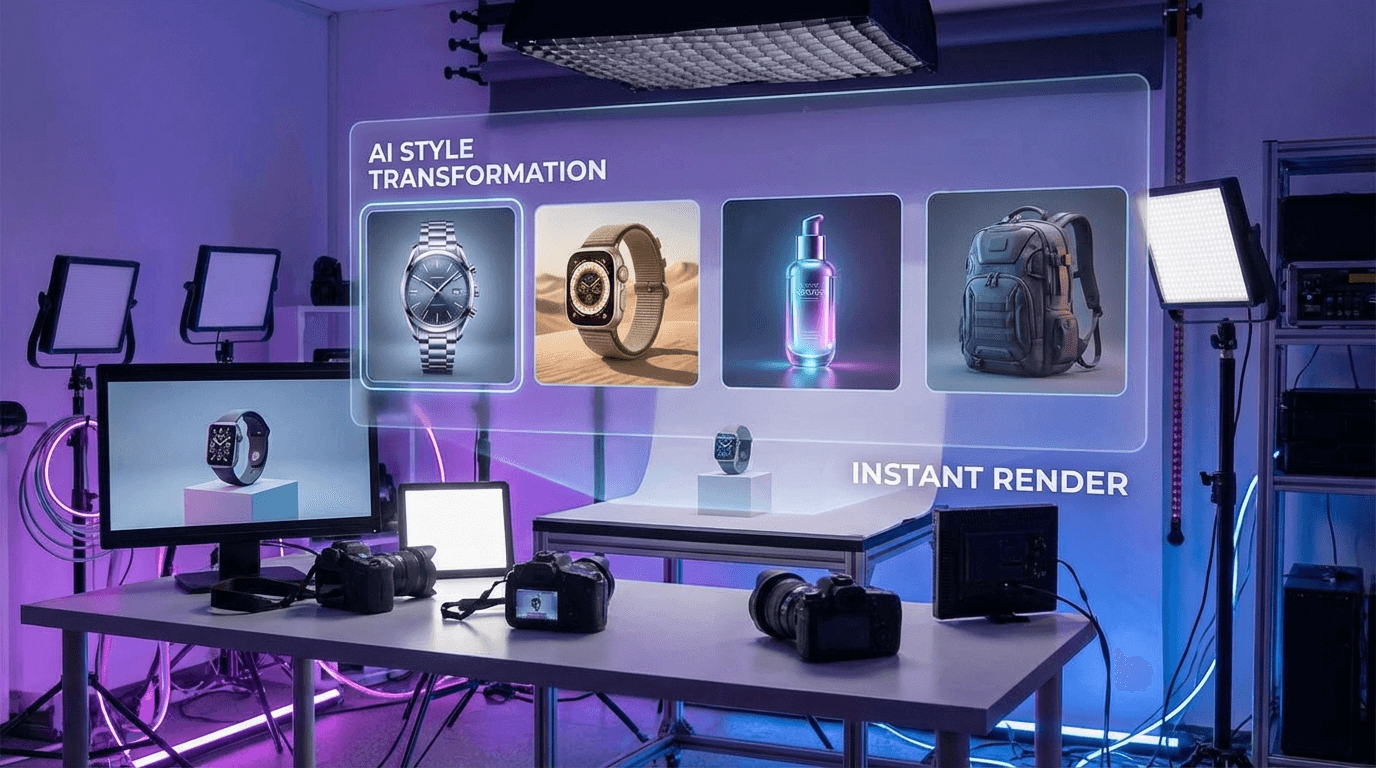
Online sellers face constant pressure to refresh product imagery without expensive photoshoots. Image to image AI solves this by generating color variations, seasonal backgrounds, and lifestyle contexts from a single product shot.
Platforms like Keevx take this further with one-click URL-to-video conversion for Amazon, Shopify, eBay, and Etsy listings. The AI Video Ads tool transforms static product images into conversion-optimized video ads with 234 avatar options and multilingual voiceovers—ready for cross-platform distribution in minutes.
Style Transfer and Artistic Transformation
Transform photographs into paintings, anime styles, or 3D renders while preserving subject positioning. According to testing by pxz.ai, modern tools can apply watercolor effects, Studio Ghibli aesthetics, or photorealistic rendering to existing images with consistent quality.
Content Localization and Adaptation
Cross-border marketing requires visual content that resonates across cultures. Image to image AI enables rapid adaptation of visuals for regional preferences without recreating entire campaigns. Keevx's Translate & Dub Video capability extends this to 178 dialects with lip-sync, ensuring avatars match local languages naturally.
Rapid Prototyping and Concept Development
Marketing teams use image to image AI to iterate on visual concepts quickly. Upload a rough mockup, then generate variations to test approaches before final production.
Best Image to Image AI Tools in 2026
Keevx - Best for Video-Ready Content Creation
Best for: E-commerce merchants and marketers who need video content from product images
Keevx stands out by automating the entire pipeline from static images to studio-quality videos with digital avatars. Unlike traditional image generators, the platform converts product photos into conversion-ready video ads without filming or editing skills.
Key features:
- One-click transformation of Amazon, Shopify, eBay, and Etsy URLs to video
- 234 diverse avatars with 169 voice options across 70+ languages
- Batch generation for scaling content production
- 40+ industry-specific video templates optimized for YouTube and TikTok
- Integrated Ideas to Video workflow for rapid content creation
Pricing: Flexible plans with low trial barriers, starting from minute-level production costs
The platform's Avatar & Voice Cloning feature enables brands to maintain consistent spokesperson presence across all markets, eliminating the coordination complexity of multilingual video shoots.
Adobe Firefly - Best for Commercial Safety
Best for: Agencies and brands requiring licensed, commercially-safe assets
Adobe Firefly's image to image capabilities provide granular control over transformation strength. According to Buffer's 2026 AI image generator review, Firefly trains exclusively on licensed and public domain images, ensuring commercial safety.
Key features:
- Generative Fill for precise element replacement
- Style reference sliders controlling transformation intensity
- Integrated Adobe Creative Cloud workflow
- Commercial licensing included in subscription
Pricing: Included with Creative Cloud subscriptions starting at $54.99/month
Stable Diffusion - Best for Customization
Best for: Technical users and developers needing complete control
Stable Diffusion's open-source nature allows businesses to host, fine-tune, and customize models without platform restrictions. While the learning curve can be steep, no other tool offers comparable flexibility for specialized applications.
Key features:
- Full model customization and fine-tuning
- Local hosting for data privacy
- Extensive control over denoising strength and sampling
- Active community with custom models
Pricing: Free (open-source), with hosting costs for deployment
FLUX - Best for Precise Editing
Best for: Users making specific object-level changes
FLUX's Kontext model excels at surgical edits—changing a red car to blue while preserving reflections, shadows, and surroundings identically. Testing by pxz.ai confirmed its ability to modify isolated elements without affecting context.
Key features:
- Object-aware editing maintaining scene consistency
- API access for workflow integration
- Fast processing with high-quality output
- Minimal learning curve for basic transformations
Pricing: Credit-based system with free tier available
Leonardo AI - Best for Game Assets and Product Viz
Best for: Gaming studios and product designers requiring style consistency
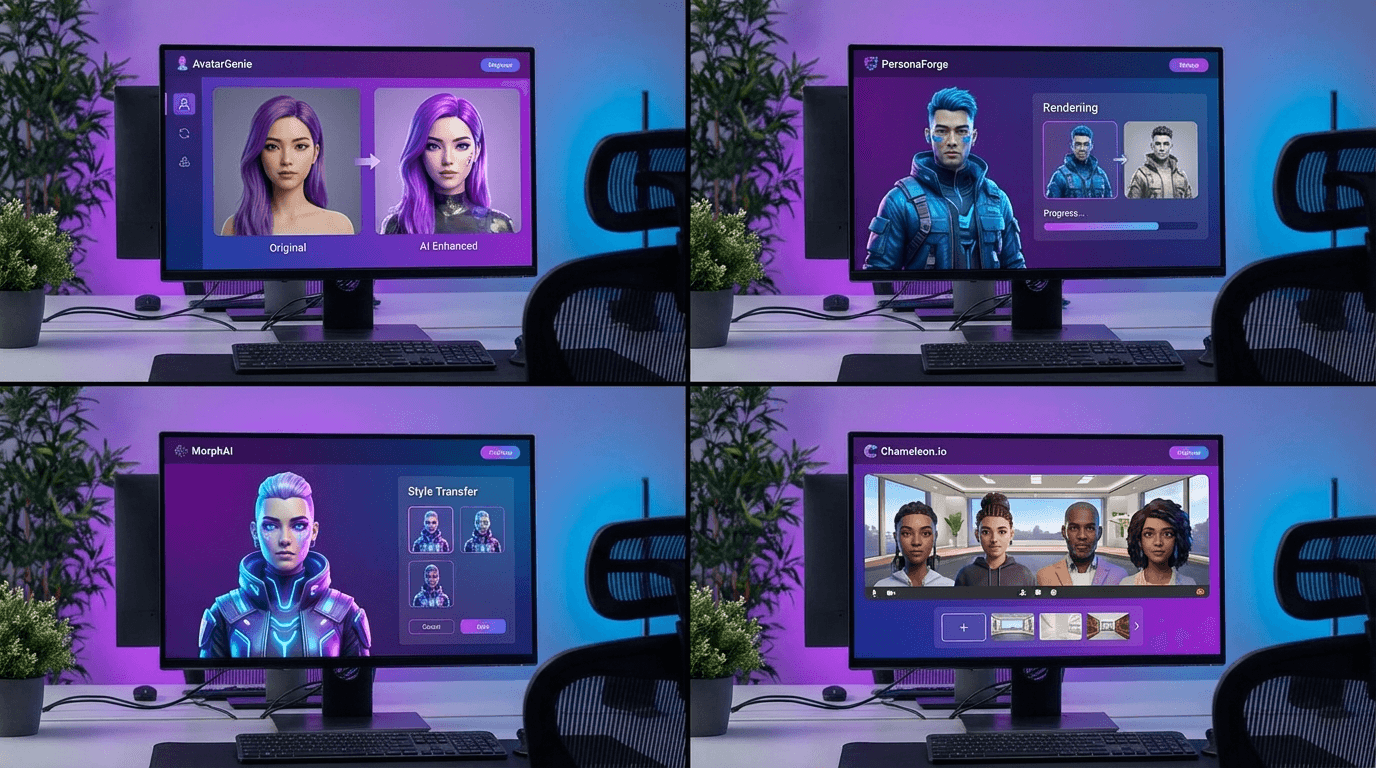
Leonardo AI's slider-based controls deliver consistent style output across image series—critical for maintaining visual coherence in game assets or product catalogs. The platform optimizes specifically for asset creation workflows.
Key features:
- Fine-tuned controls for repeatable results
- Style presets for gaming, anime, and product photography
- Batch processing for multiple variations
- Canvas editor for iterative refinement
Pricing: Free tier with 150 daily credits; paid plans from $12/month
ChatGPT - Best for Simplicity
Best for: Non-technical users wanting quick transformations
If you just want to transform an image without learning new software, ChatGPT's integration makes it effortless. Upload a photo and type instructions like "make this look like a Studio Ghibli scene"—the model handles the technical details.
Key features:
- Natural language instructions
- No specialized prompting required
- Integrated with GPT-Image-1.5 model
- Conversational refinement
Pricing: Included with ChatGPT Plus at $20/month
Key Settings That Control Image Transformations
Understanding core parameters helps you achieve consistent results across platforms:
Denoising Strength controls how much the AI modifies your original image. Settings range from 0 (minimal change) to 1 (complete transformation). For subtle style transfer, use 0.3-0.5; for dramatic reimagining, push toward 0.7-0.9.
CFG Scale (Classifier-Free Guidance) determines prompt adherence. Higher values (10-15) force strict interpretation of your text prompt, while lower values (5-8) allow more creative interpretation balanced with the source image.
Sampling Steps affect output quality and generation time. Most platforms default to 20-30 steps. Increasing to 50+ steps may improve details but extends processing time.
Choosing the Right Tool for Your Workflow
Your ideal platform depends on specific requirements:
For e-commerce and video marketing: Keevx delivers the fastest path from product images to multilingual video ads with digital avatars, eliminating traditional production bottlenecks.
For agencies requiring commercial licensing: Adobe Firefly's licensed training data removes legal risk from client deliverables.
For developers building custom applications: Stable Diffusion's open-source flexibility enables white-label implementations and specialized model fine-tuning.
For rapid experimentation: ChatGPT's natural language interface removes technical barriers, letting marketing teams iterate without designer involvement.
For batch processing consistency: Leonardo AI's style presets ensure visual coherence across large product catalogs or game asset libraries.
Cross-border sellers particularly benefit from platforms integrating localization capabilities. Keevx's Market Trends feature analyzes viral content patterns, helping merchants adapt product imagery to regional preferences backed by data.
Frequently Asked Questions
What's the difference between image to image AI and text to image AI?
Text-to-image generators create entirely new visuals from written descriptions with no reference point. Image to image AI uses your existing photo as a structural foundation, applying transformations while preserving composition, perspective, and core elements. This makes image to image ideal for variations, style transfer, and product photography adaptation.
Can image to image AI maintain brand consistency across variations?
Yes, when configured properly. Tools like Leonardo AI and Keevx use style references and avatar consistency to ensure multiple outputs share visual identity. For brands requiring spokesperson consistency, Keevx's voice cloning and avatar library maintain recognizable presence across 70+ languages without coordination complexity.
How do I get better results from image to image AI?
Start with high-quality source images—AI can enhance but not rescue poor originals. Write specific prompts describing desired changes rather than vague instructions. Adjust denoising strength iteratively: begin conservative (0.4-0.5) and increase until you achieve desired transformation. Generate multiple variations and select the best result rather than expecting perfection on first attempt.
Are image to image AI outputs commercially safe to use?
This depends entirely on your tool's training data. Adobe Firefly trains exclusively on licensed content, providing commercial safety. Stable Diffusion and most other platforms train on broader datasets with potential copyright concerns. Always review your platform's terms of service and consider licensing implications for commercial projects.
Can I batch process multiple images with consistent style?
Most professional platforms support batch processing with style consistency. Keevx excels at this for video content, applying consistent avatar and voice treatments across product catalogs. Leonardo AI's style presets enable batch transformation of product photos with matching aesthetic. For custom implementations, Stable Diffusion allows fine-tuned model application across image sets.
Conclusion
Image to image AI transforms content creation from time-intensive production to rapid iteration. Rather than commissioning new photoshoots for every product variation or market, merchants and marketers can generate studio-quality assets in minutes while maintaining brand consistency.
For cross-border e-commerce specifically, platforms like Keevx eliminate the coordination complexity of multilingual video production. One product image becomes conversion-optimized video ads localized for 70+ markets with lip-synced avatars—ready for Amazon, Shopify, TikTok, and YouTube distribution without filming or editing expertise.
The technology advances rapidly, with improvements in consistency, speed, and editing precision. Early adopters gain competitive advantage by producing more content faster while competitors remain bottlenecked by traditional timelines.
Ready to transform your product images into studio-quality video content across global markets?
